Introduction
In the world of small businesses, e-commerce, and freelancing, invoices are the lifeblood of your financial records. But let's face it: getting paid is the easy part. The real headache begins when it's time to do your bookkeeping, file taxes, or perform a financial audit.
If you've ever found yourself manually opening hundreds of separate PDF invoice files, copying data, and pasting it into a master spreadsheet, you know the pain. It’s slow, tedious, and prone to costly human errors. How can you reclaim those hours and ensure your financial data is always accurate and instantly accessible? This article breaks down the manual challenges and introduces the fastest, most reliable way to consolidate all your PDF invoice data into a single, clean Excel file.
The Hidden Costs of Manual Invoice Data Entry
Before we dive into the solution, it’s important to understand the true cost of the traditional method:
Try PerfectParser Free
Extract data from your first documents today. No credit card required — 30 free credits included.
Start Free →- •Time Drain: A bookkeeper or business owner can spend 3–5 minutes per invoice for data extraction and entry. If you have 150 invoices, that's up to 12.5 hours of focused, manual labor.
- •Error Rate: Studies show that 1 in 5 invoices contain errors. Manual data entry contributes to costly compliance issues or incorrect tax filings.
- •Delayed Insights: If your data is locked up in hundreds of files, you can't quickly analyze cash flow, track customer spending, or identify pending payments. Small businesses lose an average of $5,000 annually due to poor financial visibility.
The Traditional (and Obsolete) Methods
- •Manual Copy-Pasting: Opening each PDF, highlighting the invoice number, date, total, and vendor name, and pasting it row-by-row into Excel. Result: High error rate and wasted time.
- •PDF-to-Excel Converters: These tools often struggle with the variable formatting of invoices, treating them as generic documents. They usually just convert the layout into a messy spreadsheet, not the data fields into structured columns.
The Automated Solution: Introducing Data Extraction SaaS
The most efficient way to solve the PDF invoice consolidation problem is by using a dedicated data extraction and structuring service.
💡 Case Study Snapshot: A mid-sized e-commerce retailer was spending 80 hours a month preparing invoice data for their accountant. By implementing an automated PDF to Excel consolidation tool, they reduced this time to just 2 hours per month, saving over $2,500 in labor costs alone.
This is where a specialized tool like PerfectParser comes in. Our platform is specifically designed to understand the complex, non-standard layouts of invoices, regardless of the vendor.
How PerfectParser Works:
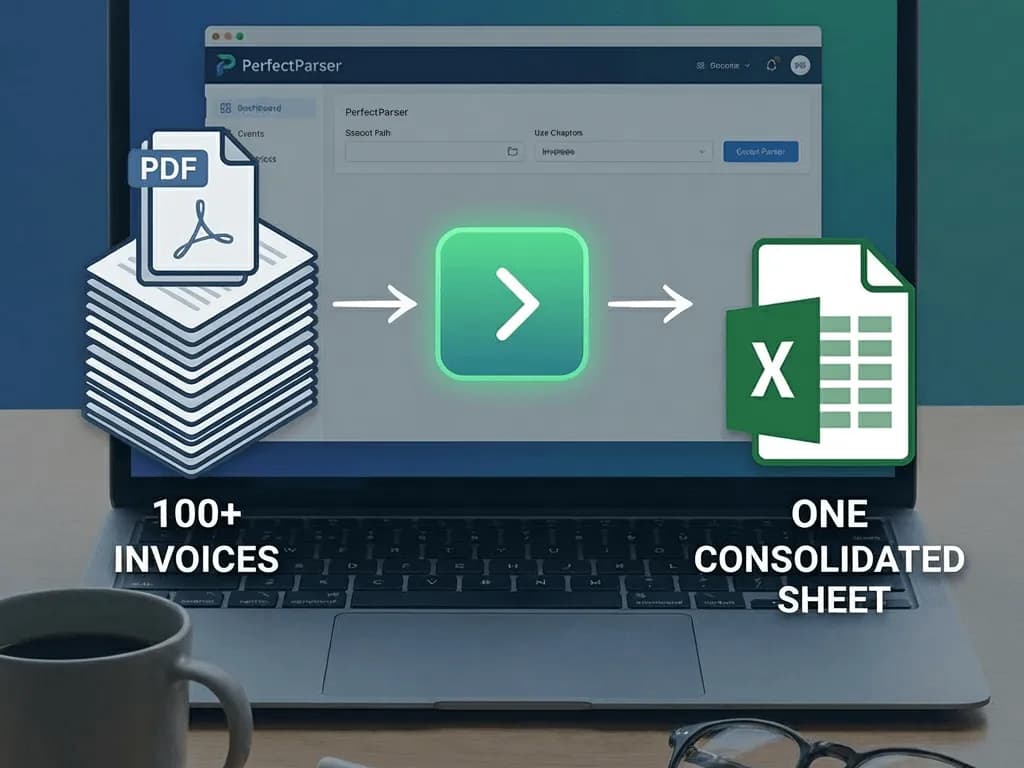
- •Upload: You simply upload a batch (a single ZIP file or folder) containing all 100+ PDF invoices.
- •Intelligent Extraction: Our AI scans the documents to identify and extract key fields like:
- •Invoice Number
- •Date Issued and Due Date
- •Vendor/Client Name
- •Total Amount
- •Tax/VAT Breakdown
- •Optional: Detailed line-item descriptions
- •Structured Consolidation: The system automatically maps all this disparate data into a single, perfectly structured Excel or CSV file, with each invoice occupying a neat row and each data field in its own column.
This process transforms a 12-hour manual task into a 10-minute automated upload and download.
Ready to automate your bookkeeping? → Invoice Data Extraction → Receipt Data Extraction → Purchase Order Data Extraction
Conclusion
Stop letting manual data entry eat up your valuable time and expose your business to financial errors. Consolidating your PDF invoices into a usable Excel sheet doesn't have to be a major chore. By embracing intelligent automation, you can ensure your financial records are accurate, up-to-date, and ready for your accountant at a moment's notice.
Ready to save 12+ hours on your next bookkeeping cycle? PerfectParser helps 500+ businesses automate their invoice processing with 99.5% accuracy.
Ready to ditch the manual headache?
🚀 Start Your Free PerfectParser Trial and transform 100+ messy PDFs into clean Excel spreadsheets in minutes. No credit card required - your first 50 invoices are completely free.
PDF to Excel Conversion Methods Compared
| Method | Time for 100 Invoices | Accuracy Rate | Best For | Cost |
|---|---|---|---|---|
| Manual Copy-Paste | 8-12 hours | 75-85% | Small batches | Your time |
| Free PDF Converters | 2-4 hours | 60-75% | Simple documents | Free |
| PerfectParser AI | 10 minutes | 99.5% | Complex invoices | $0.10/invoice |