API Keys & Webhooks
Generate API keys and configure webhooks on the PerfectParser Integrations page. Connect Zapier, Make, or your own tools.
To connect PerfectParser to Zapier, see Zapier integration.
The Integrations page is where you generate API keys and configure webhooks for other software tools.
To open it, click Integrations in the left-hand sidebar.
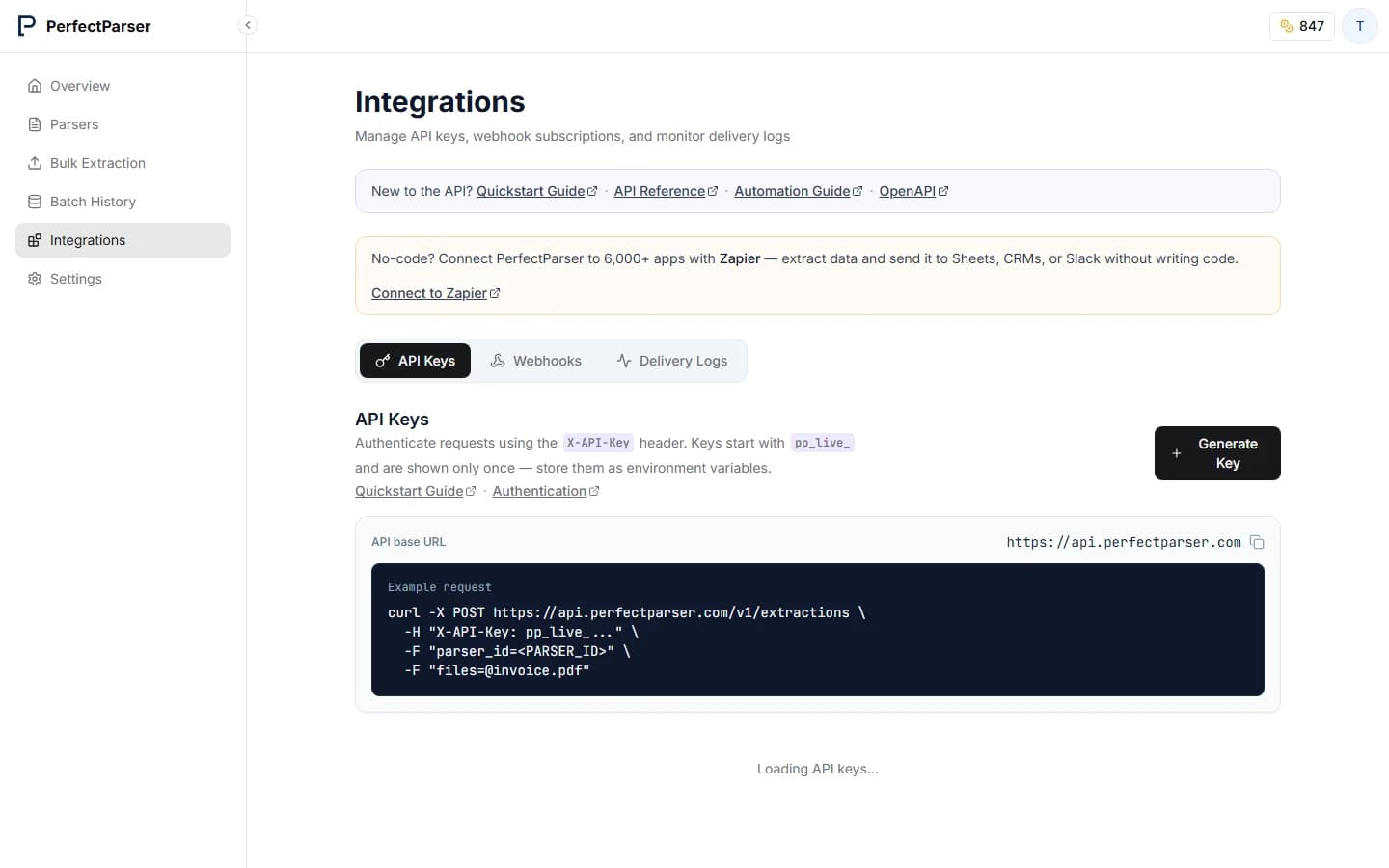
API Keys
API keys act like secure, secret passwords that allow external tools (such as Zapier, Make.com, or custom databases) to upload documents and download extraction results automatically.
Generate a new key
- Click the API Keys tab.
- Click Generate Key.
- Enter a label to help you remember where you are using the key (e.g. Zapier Connection).
- Click Create.
The full key is shown only once when you create it. Copy and save it somewhere secure. If you lose the key, you will need to revoke it and generate a new one.
Revoke a key
If you no longer use a connection or suspect a key has been shared, click Revoke next to it. The key will stop working immediately, protecting your account.
Webhooks
A webhook is an automatic alert that PerfectParser sends to another system the moment an extraction batch finishes processing (or when API webhook events fire per document). This saves you from having to check the dashboard manually.
Dashboard webhooks send batch.completed, batch.failed, or batch.partial events. See the Webhooks API reference for programmatic extraction.* events and Account API for credit balance checks.
Add a webhook
- Click the Webhooks tab.
- Click Add Webhook.
- Enter your destination URL (e.g., your webhook receiver address in Make.com or Zapier).
- (Optional) Choose a specific Parser to only send alerts for that document type. Leave it blank to receive alerts for all documents.
- Click Save.
Delivery Log
The Delivery Log table keeps a history of all notifications sent to your other software, showing whether they succeeded or failed.
| Status | Meaning |
|---|---|
| Success | Your destination software received the alert successfully. |
| Failed | The alert could not be delivered. Check that your destination URL is correct and public. |
| Retrying | Delivery failed initially. PerfectParser is automatically trying to send it again. |