Send extracted data to other apps
Create a Zap that sends extracted fields to Google Sheets, Slack, or your CRM after PerfectParser finishes processing.
Before continuing, connect PerfectParser to Zapier and process one sample document.
Build the export Zap
Add the PerfectParser trigger
Create a Zap. For the trigger, search PerfectParser and choose Document Processed. This fires when extraction finishes for a document.
Choose the parser
Select the parser whose completed documents should start the Zap. Leave blank to receive events for every parser in your account.
Load a sample
Click Test trigger or Find new records. Zapier should pull a recent document and show human-readable field labels from your schema.
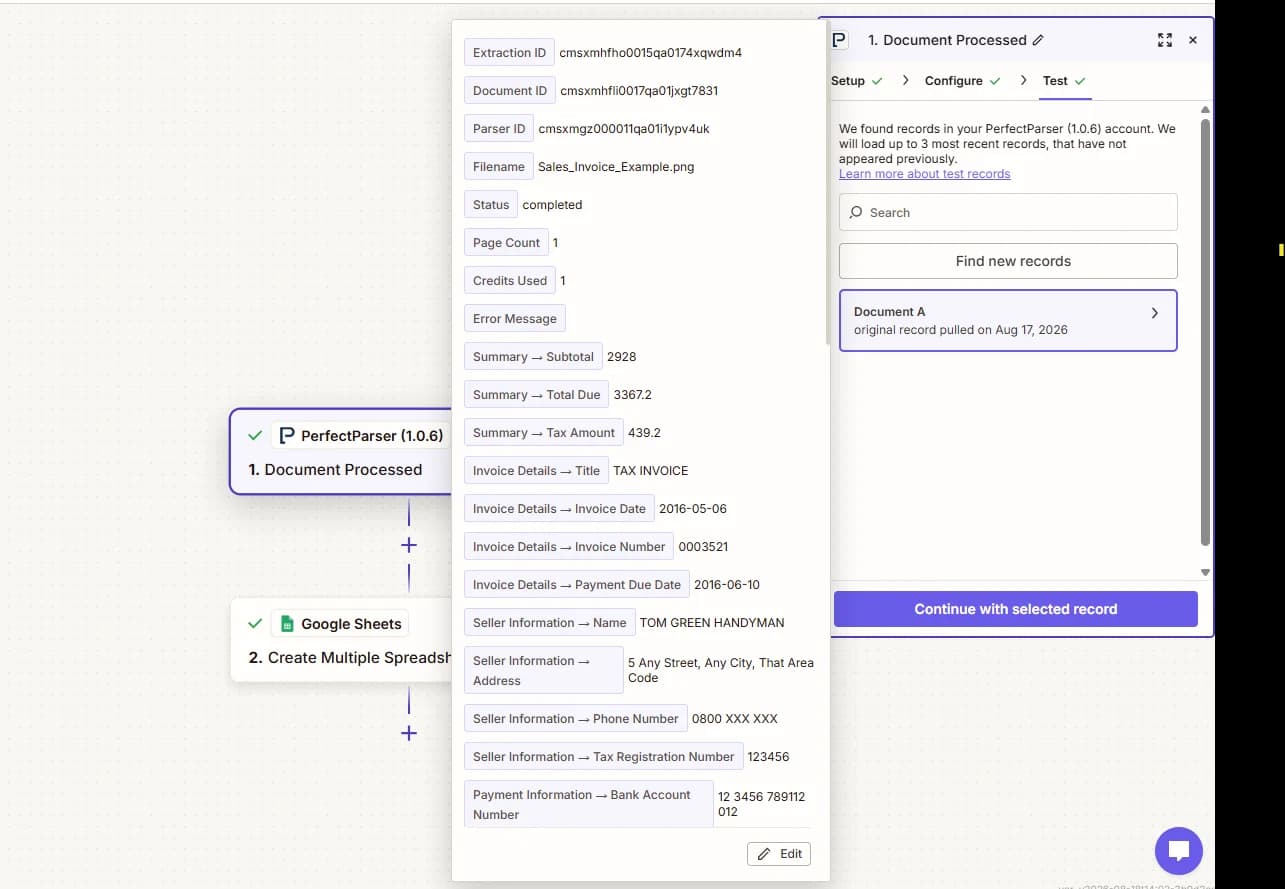
If the sample is empty or wrong, process another document in PerfectParser for that parser, then test again.
Add the destination
Add an action such as Google Sheets Create Spreadsheet Row and map the extracted fields you need.
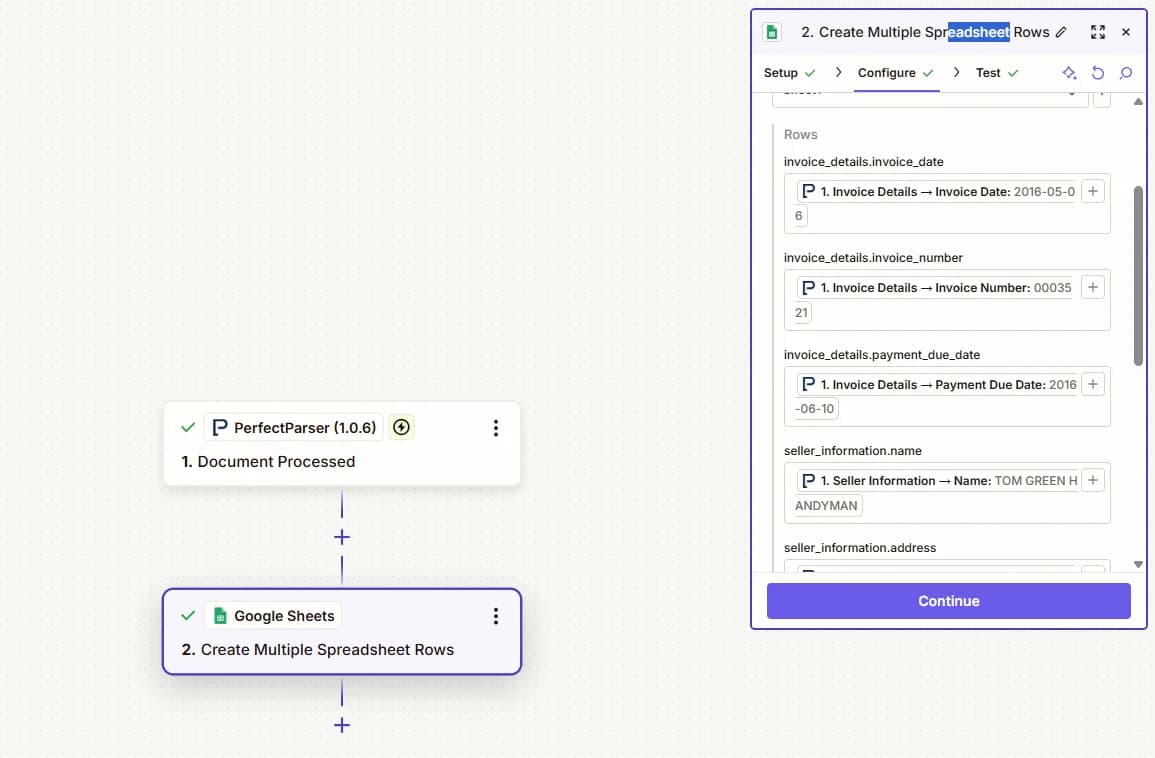
PerfectParser sends human labels from your parser schema — for example Sold By → City or Line Items → Description — instead of raw paths like buyer.city.
- Scalar fields — map each label to one column. One Create Spreadsheet Row writes a single row for the document.
- Line items — table fields appear as line items (for example
Line Items → Quantity). Use Create Multiple Spreadsheet Rows when you want one sheet row per line item.
Every payload also includes status, error_message, filename, and extraction_id / document_id. For the full nested JSON, call Get Document.
Test and publish
Test the destination action, confirm the values look correct, and publish the Zap.
What success looks like
The Zap runs once after extraction finishes. Each completed document sends its extracted fields to your destination app.
If it does not work
- Confirm the Zap is published.
- Confirm the trigger uses the parser that processed the document.
- Process another sample document and test the trigger again if fields are missing.
- Check the
statusfield — failed documents may have empty extracted values.
FAQs
Why are blank rows appearing in Google Sheets?
Failed documents may send empty field values. Check the status field in the trigger payload — completed documents have filled fields; failed ones do not.
Create Spreadsheet Row or Create Multiple Spreadsheet Rows?
Use Create Spreadsheet Row for one row of scalar fields (invoice number, totals, vendor). Use Create Multiple Spreadsheet Rows when you need one sheet row per line item from a table field.
Sample data isn't from my document — what should I do?
Click Find new records or Test trigger after you process a fresh sample in PerfectParser for the same parser. Optionally set the Parser filter so only that parser's documents appear.