
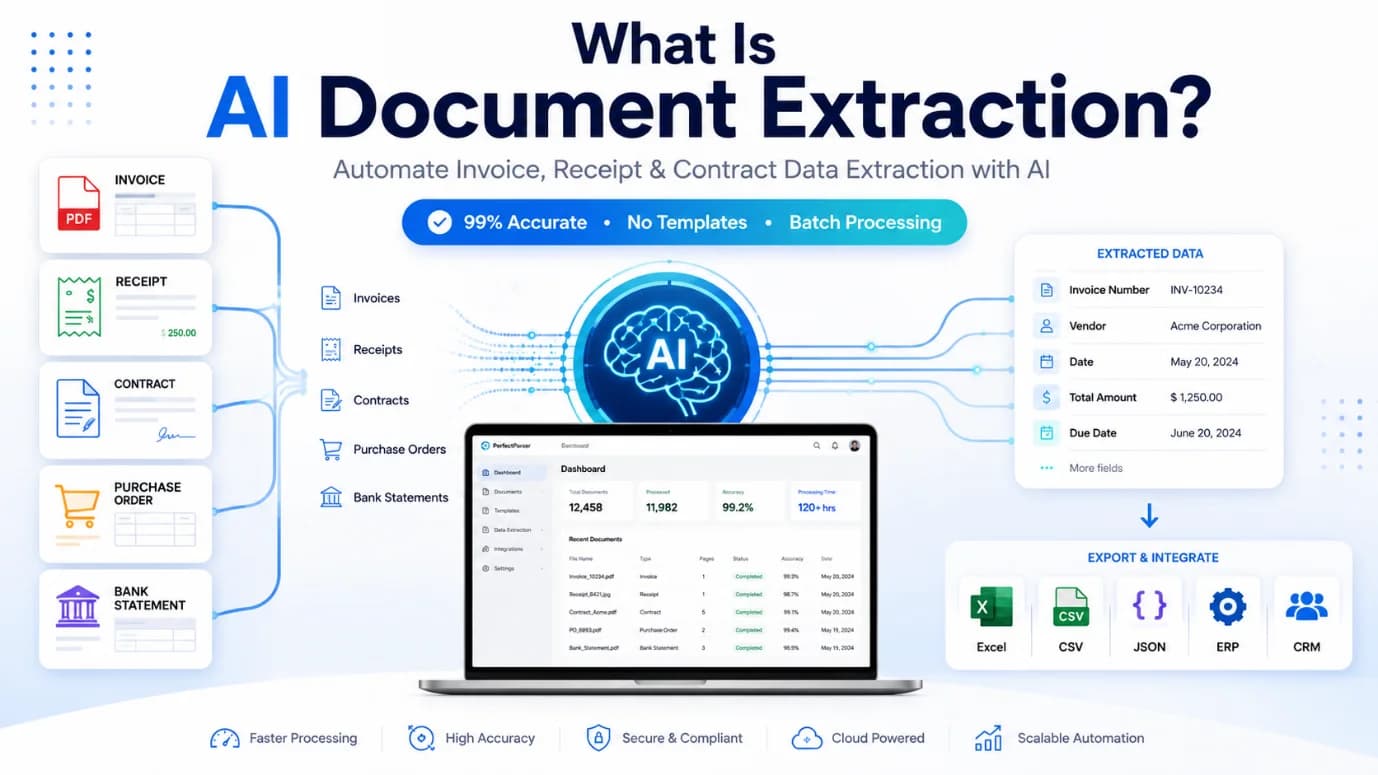
Businesses process thousands of invoices, contracts, forms, and receipts every day. Manually entering information from these documents takes time, increases costs, and creates avoidable human errors. That's why organizations are adopting AI document extraction to automate document handling while improving speed and accuracy.
Traditional OCR software mainly converts images into text. AI goes much further. It understands document layouts, recognizes different document types, and extracts meaningful information with very little human involvement.
You'll see how AI document extraction works, where businesses use it, the benefits it brings, common mistakes to avoid, and practical tips for successful implementation.
What is AI document extraction?
AI document extraction is the process of using artificial intelligence to identify, understand, and capture important information from digital or scanned documents automatically.
Instead of searching through paperwork by hand, AI identifies fields such as names, invoice numbers, dates, totals, addresses, signatures, and other structured or unstructured data.
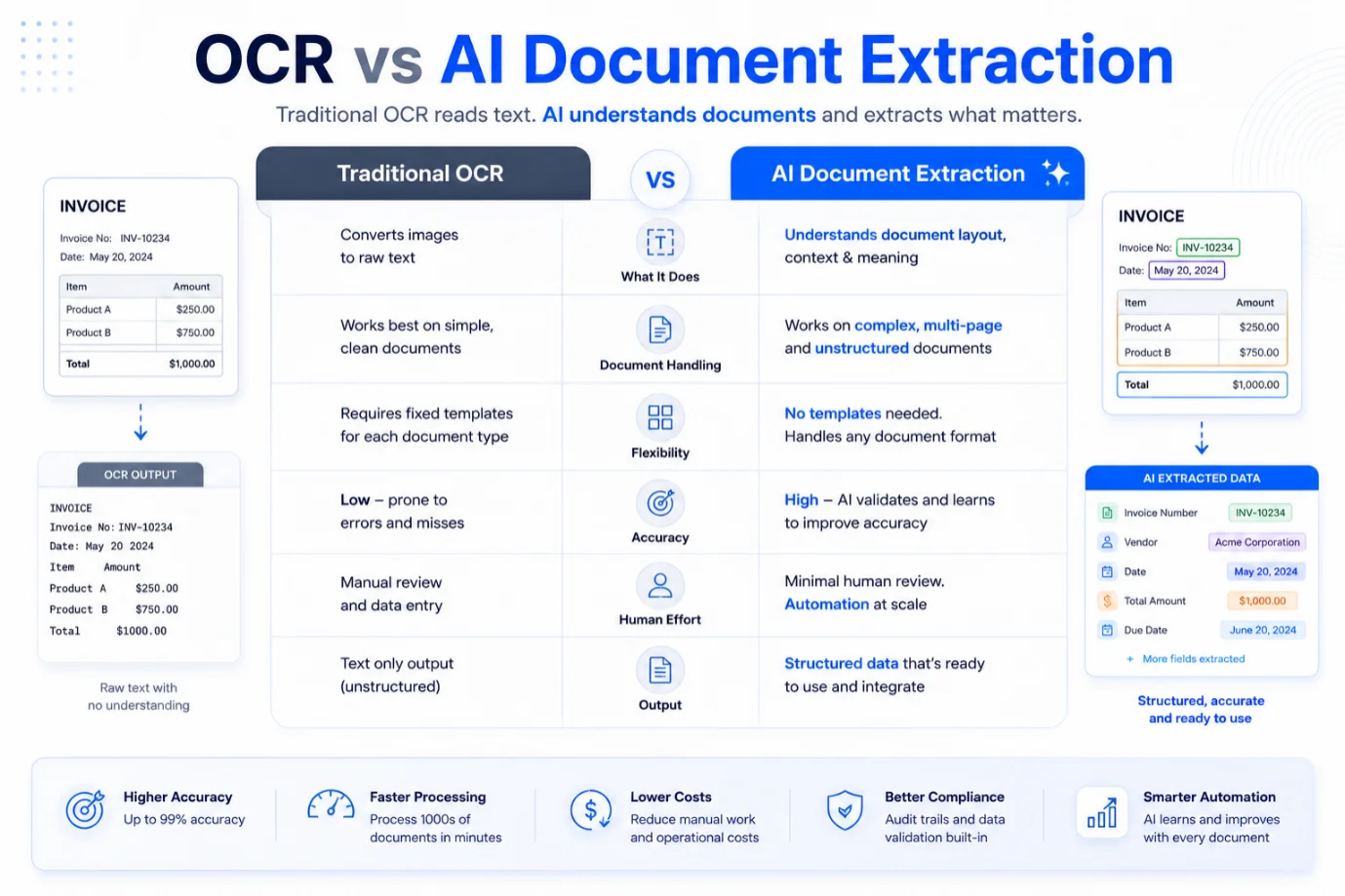
AI document extraction uses artificial intelligence to automatically identify, understand, and extract important information from documents with greater accuracy than traditional OCR.
How AI document extraction works
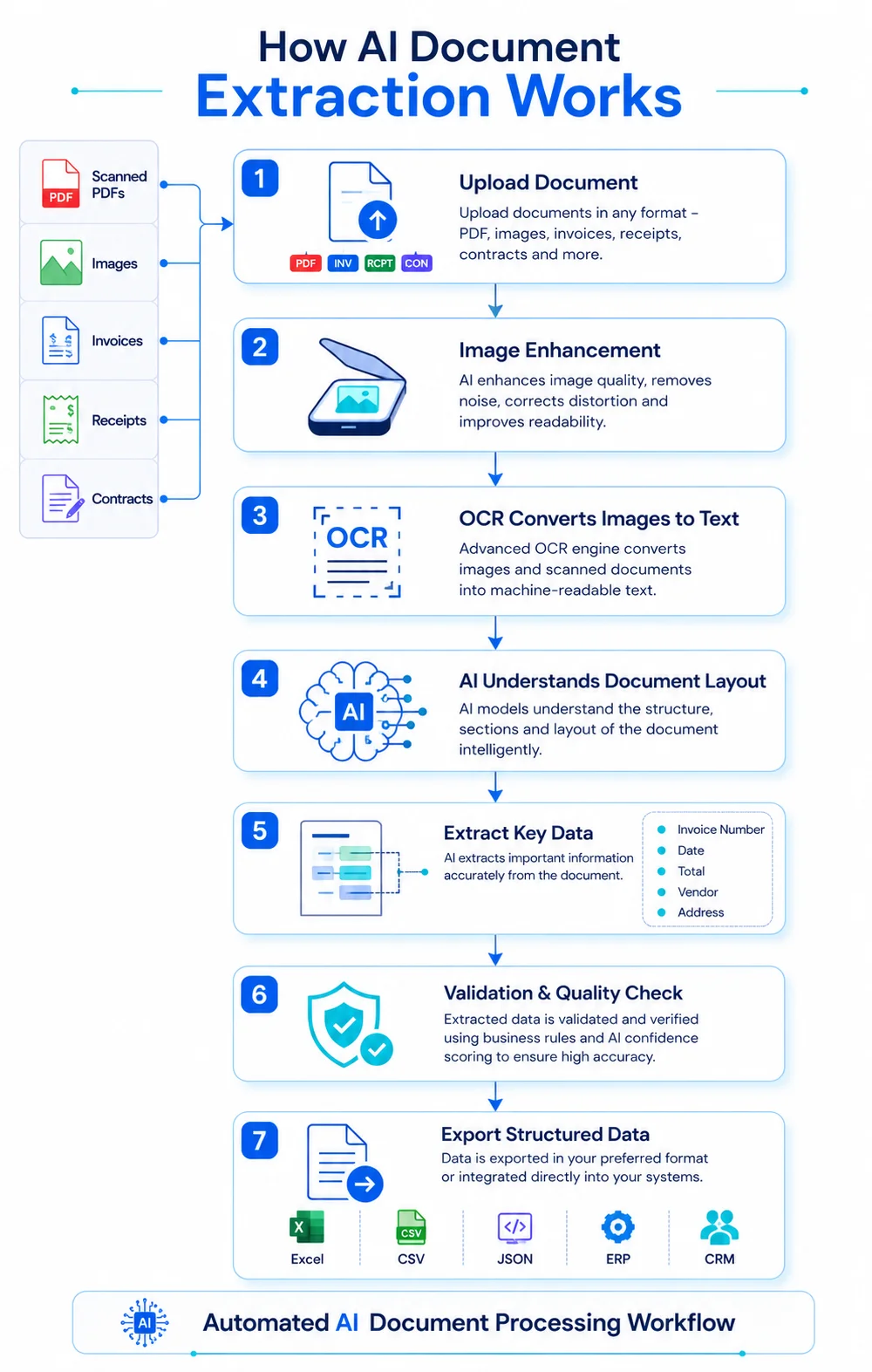
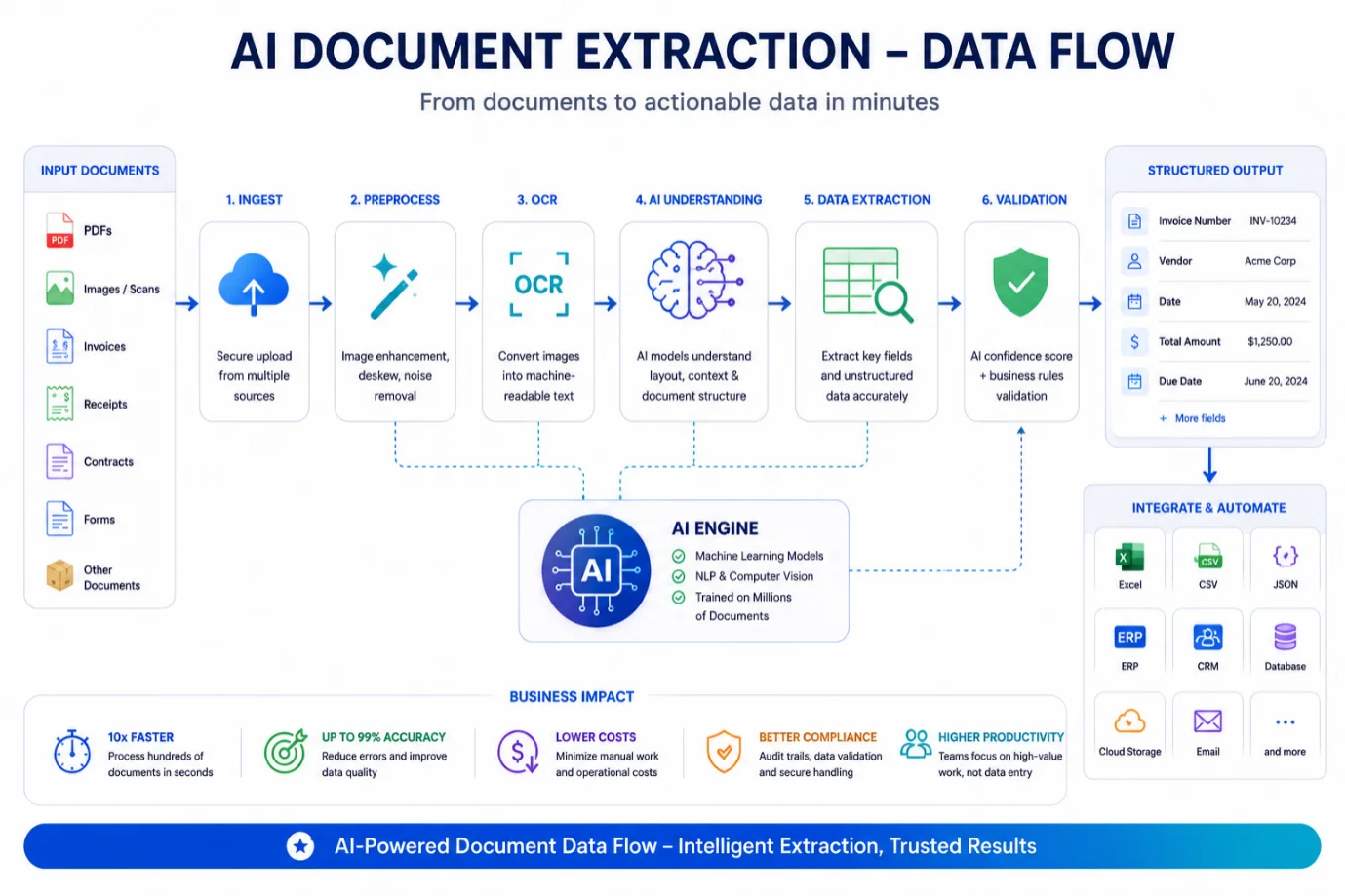
A typical workflow includes:
- •Document upload
- •Image enhancement
- •OCR converts images into text
- •AI identifies document type
- •AI data extraction captures relevant fields
- •Validation checks improve accuracy
- •Export to ERP, CRM, accounting, or business systems
Together, these steps help businesses automate complex workflows across multiple document formats.
Key business benefits
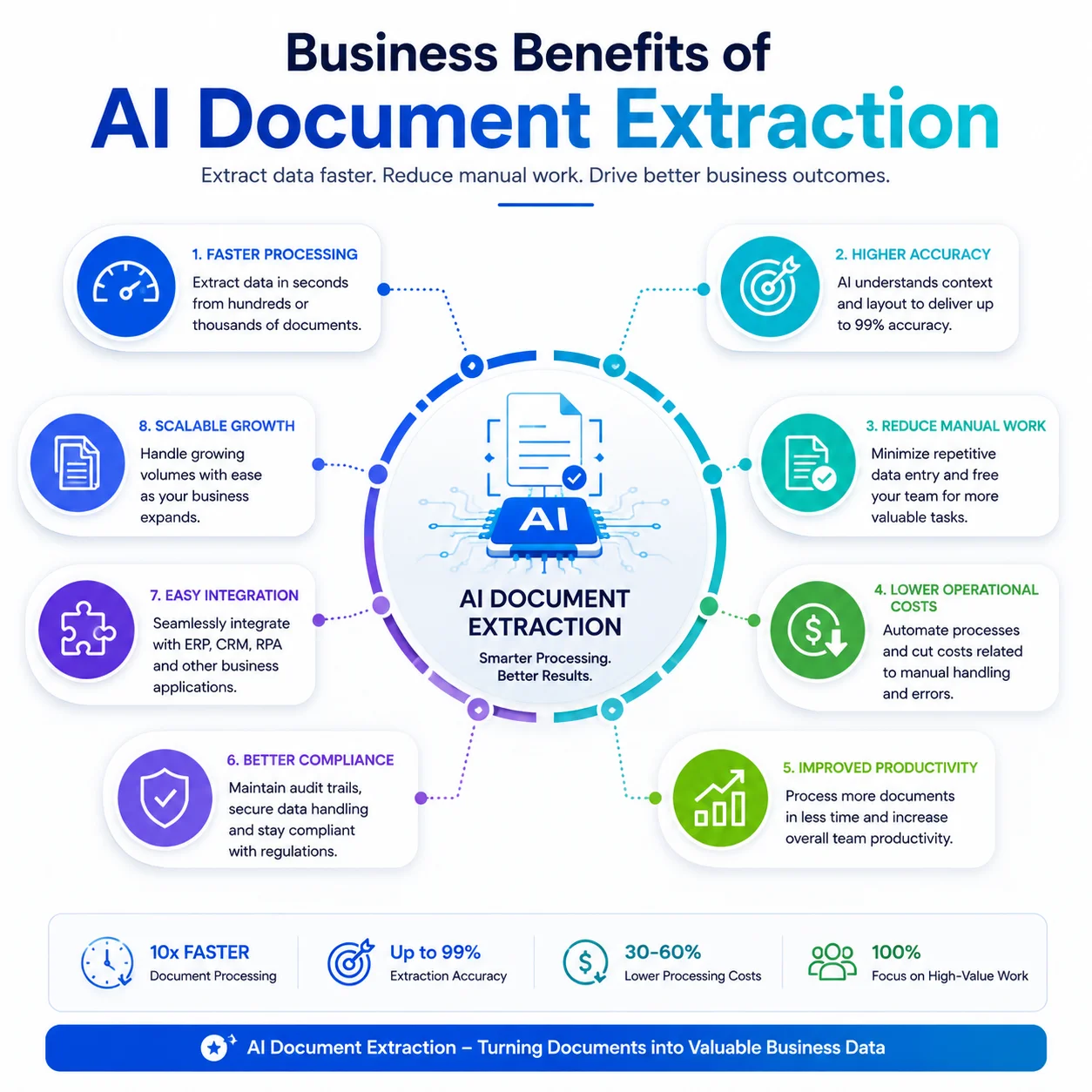
Organizations across healthcare, finance, logistics, insurance, manufacturing, and legal services rely on AI because it delivers measurable improvements.
Many companies also use automated document processing to manage growing document volumes while staying compliant with industry regulations.
Real-world use cases
AI can process many document types, including:
- •Vendor invoices
- •Purchase orders
- •Insurance claims
- •Bank statements
- •Medical records
- •Contracts
- •Tax documents
- •Shipping paperwork
- •Employee onboarding forms
A logistics company, for example, can automatically extract shipment details from bills of lading. A healthcare provider can process patient records faster and spend less time on manual data entry.
Best practices for successful implementation
To get the best results:
- •Start with a high-volume document process.
- •Use high-quality document images whenever possible.
- •Validate extracted information before exporting.
- •Continuously train models using new document formats.
- •Measure accuracy and processing time regularly.
Avoid relying only on OCR for complex documents. AI performs much better when document layouts vary or when files include handwritten or semi-structured information.
Common mistakes to avoid
Some organizations run into problems because they:
- •Expect perfect accuracy from day one.
- •Ignore document quality.
- •Skip validation workflows.
- •Fail to test with different document layouts.
- •Don't integrate the solution into existing business systems.
A well-planned rollout helps maximize long-term ROI.
Conclusion
As businesses continue their digital transformation, document data extraction powered by artificial intelligence has become an essential business capability.
Whether you're processing invoices, bills of lading, or contracts, AI reduces manual work, improves accuracy, and gives teams more time for higher-value work. To see real-world workflow implementations, explore our comprehensive guide to invoice processing automation or discover how carriers and forwarders use AI document processing across logistics operations. For organizations that want to simplify operations, adopting intelligent document processing is a practical step toward faster, more reliable document workflows.
Explore AI Document Extraction Solutions
Extract structured data from invoices, logistics paperwork, legal contracts, and financial statements with zero manual templates.
View All Document Solutions →