
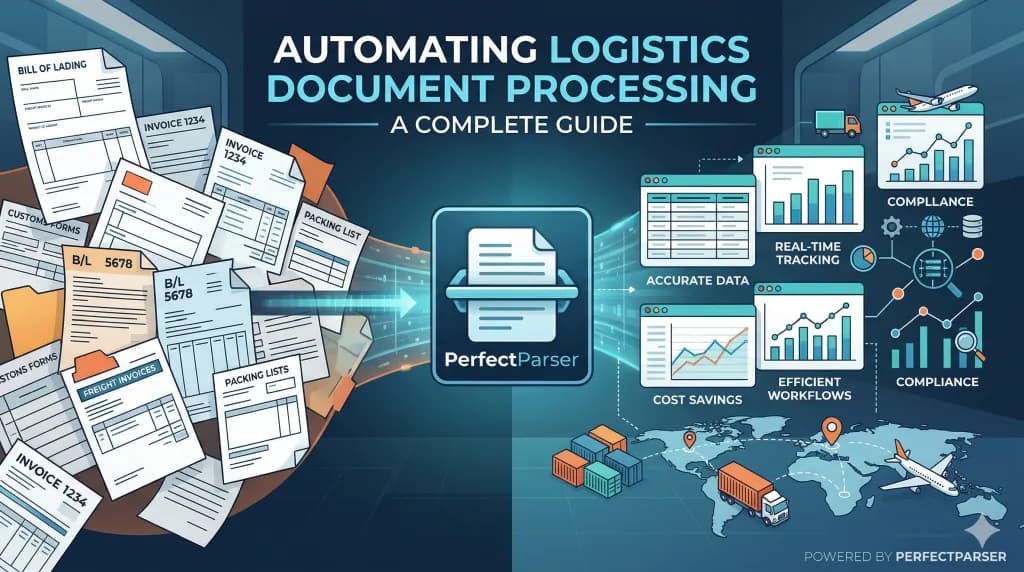
Quick answer: Automating logistics document processing means using AI for bill of lading data extraction, Proofs of Delivery (PODs), and freight invoices to capture structured data—such as PRO numbers, shipper/consignee details, weights, charges, and receiver signatures—and feeding that data directly into a TMS or ERP without manual keying. Most 3PLs and freight brokers start with either BOL data entry (a volume problem) or freight invoice reconciliation (an accuracy problem), run a pilot on their messiest real documents, and scale from there.
Key Takeaways
- •Manual entry on logistics paperwork costs 12–20 minutes per document and carries a 1–8% per-field error rate, which compounds across a 9–12 field BOL into a 25%+ chance of at least one error per shipment.
- •AI-based extraction (not template OCR) reads BOLs, PODs, and invoices regardless of layout, carrier, or scan quality—typically hitting 88–99% field-level accuracy depending on document condition.
- •The four-stage workflow is: define a field schema → batch-ingest documents → get structured output → push data into your TMS/ERP via file import or API.
- •The biggest time savings show up in freight billing reconciliation, POD retrieval for disputes, and month-end accruals, not just data entry itself.
- •Start with a pilot on your worst documents, not your cleanest ones. That is where the real ROI (and the real operational risk) lives.
What Is Automating Logistics Document Processing?
Automating logistics document processing is the use of AI-based data extraction to read Bills of Lading, Proofs of Delivery, freight invoices, rate confirmations, and related paperwork, and convert them into structured, usable data without a human retyping each field.
In practice, that means a BOL arrives as a PDF, scan, or photo, and instead of a coordinator opening it and typing the PRO number, shipper name, weight, and freight charges into a TMS, an AI extraction tool reads the document and outputs those same fields into a spreadsheet or API payload in seconds.
This is fundamentally different from older logistics automation, which relied on template-based OCR software that only works when a document matches a pre-mapped layout. Logistics documents rarely do that. Carrier formats vary, scan quality varies, and handwriting shows up on PODs. AI extraction reads for meaning (what a PRO number looks like, contextually) rather than position (where a PRO number sits on one specific template), which is why it holds up across the format chaos that defines freight paperwork.
Why Is Automating Logistics Document Processing Important?
Document handling is one of the largest hidden labor costs in freight operations, and the errors it produces are expensive in ways that only surface downstream—a short pay, a billing dispute, a compliance flag, or a delayed accrual.
Consider a single day's intake: a 3PL coordinator receives 180 scanned BOLs from a carrier. Each requires roughly six to twelve fields keyed into the TMS—PRO number, shipper, consignee, weight, freight class, and charges. At a conservative 12 minutes per document, that is 36 hours of manual data entry for one day's paperwork, running in parallel across staff.
That time cost is only half the problem. Human data-entry error rates run 1–4% per field on clean documents and 3–8% per field on degraded scans or handwritten PODs (consistent with HBR and AIIM data-quality research). Multiply that across 9–12 fields per BOL, and the probability of at least one error somewhere in a given record climbs above 25% on clean paperwork and above 40% on faxes and carbon copies. Those errors remain invisible until they surface as a freight billing dispute or a compliance audit.
Automating this step replaces invisible, random error with visible, flagged exceptions—a reviewer sees exactly which field the AI was uncertain about, instead of discovering a transposed number three weeks later during a customer dispute.
Challenges in the Logistics Industry Due to Manual Processes
Manual document handling is not a minor inefficiency; it is a structural bottleneck baked into how freight paperwork flows:
- •Document variance is the norm, not the exception. A BOL from Carrier A looks nothing like a BOL from Carrier B. Some are system-generated PDFs; others are faxed carbon copies or mobile photos of a paper form.
- •PODs are often the worst-quality documents in the workflow. Signatures, delivery dates, and exception notes are handwritten, low-resolution, or partially obscured—exactly the fields that matter most in a delivery dispute.
- •Freight invoices rarely match rate confirmations on the first pass. Fuel surcharges shift, accessorial fees appear, and dimensions get re-rated. Catching the discrepancy requires comparing two documents line by line, by hand.
- •Multi-page and multi-format documents slow intake. Ocean BOLs, air waybills, and order BOLs each carry different required fields (container numbers, HS codes, endorsement blocks), so a one-size-fits-all manual process breaks down quickly.
- •Exception handling consumes disproportionate staff time. Legacy TMS-embedded OCR handles clean, standard-format documents and routes everything else—often 30–40% of daily volume—to a human for manual review.
- •Retrieval is slow when documents are unindexed. A disputed delivery means searching an unindexed folder of hundreds of PDFs for one POD, instead of running a database query against structured data.
Benefits of Logistics Automation
- •Faster processing at scale. Batches of 20 to 200+ mixed-format documents—clean PDFs and degraded scans together—process in one run instead of one document at a time.
- •Lower, and more visible, error rates. AI extraction on degraded scans still outperforms manual entry by an order of magnitude, and low-confidence fields are flagged for review instead of remaining silently wrong.
- •Freight audit becomes structural, not occasional. Once invoices and rate confirmations are both structured data, mismatches surface with a simple lookup rather than a line-by-line manual comparison.
- •Faster dispute resolution. Indexed POD data (delivery date, receiver name, BOL reference) turns a folder search into a 10-second query.
- •Cleaner accruals. Month-end estimates can be built from extracted rate confirmation data instead of waiting on carrier invoices that have not arrived yet.
- •No per-carrier setup work. A single field schema (PRO number, shipper, consignee, weight, charges) applies across every carrier's layout with no separate template to build and maintain for each one.
The Logistics Document Processing Automation Workflow
Automating logistics document processing follows four stages regardless of document type:
- •Define the field schema. Specify exactly what you need per document type—for a BOL, that is typically PRO number, ship date, shipper, consignee, origin/destination, weight, freight class, and total charges (9–12 fields).
- •Batch-ingest documents. Submit PDFs, scans, and photos together, across carriers and formats, in a single run.
- •Get structured output. Each document becomes one row in a spreadsheet or one record in an API payload, with one field per column and zero manual transcription.
- •Push into your TMS or ERP. Structured data flows in through a CSV/Excel import (no IT lift required) or a direct API integration for touchless, real-time updates.
What decides the accuracy you'll see? Mostly document input quality. A digitally generated, system-printed BOL or a clean 300+ DPI scan extracts at 97–99% field-level accuracy. A faxed copy, low-contrast photocopy, or handwritten POD field lands in the 82–95% range. Either way, that is meaningfully better than the 92–99% accuracy ceiling of manual entry on the same documents—and unlike manual error, AI uncertainty is flagged, not hidden.
Overcoming These Challenges: What Changes With AI Automation
Revisiting the operational challenges, here is specifically what shifts once extraction replaces manual entry:
- •Document variance stops being a blocker. Because AI reads for meaning rather than position, one schema works across Straight BOLs, Ocean BOLs, Air Waybills, and Order BOLs with no separate template per carrier or mode.
- •Degraded PODs become workable, not just tolerable. Handwritten signature fields and delivery notes extract at 82–90% accuracy even from low-resolution scans, enough to triage exceptions instead of manually reviewing every single document.
- •Invoice-to-rate-con mismatches surface automatically. With both documents as structured data, a spreadsheet lookup does what used to take a side-by-side manual read.
- •Exception volume shrinks. Instead of routing 30–40% of documents to manual review because a template failed to match, the review queue becomes the much smaller set of genuinely low-confidence fields the AI flags.
- •Retrieval becomes instant. Indexed extraction output turns "find that POD from three weeks ago" into a filtered search rather than a folder hunt.
Why Choose PerfectParser
PerfectParser is built specifically for document variance. Key capabilities for logistics operations include:
- •Custom schemas per document type. Define the fields you need for a BOL, POD, invoice, or rate confirmation once. PerfectParser applies that schema across every carrier's layout, scanned or digital.
- •Bulk processing. Drop in hundreds of BOLs or PODs in a single batch and receive one consolidated spreadsheet, rather than processing document by document.
- •No templates, no code. There is no per-carrier template to build or maintain; the schema-based approach means new carrier formats require zero setup work.
- •Flexible output. Extracted data lands in CSV, Excel, or JSON for same-day import into McLeod, MercuryGate, TMW, or an in-house TMS/ERP.
- •A free starting point. New accounts get 20 free credits, no credit card required—enough to test extraction against your own messiest real documents before committing.
If you are handling shipping documentation, PerfectParser's Bill of Lading Data Extraction solution captures shipper, consignee, carrier, ports, cargo rows, and hazmat status across ocean, air, and truck BOLs specifically.
Future Trends in Automating Logistics Document Processing
- •Real-time, API-first extraction becomes the default: PRO numbers and delivery statuses posting to a TMS the moment a document arrives, rather than in an end-of-day batch.
- •Cross-document reconciliation gets automated end to end: Rate confirmations, carrier invoices, and BOLs compared automatically rather than through a manual VLOOKUP step.
- •Confidence-scored review queues replace blanket manual review: Staff time shifts entirely toward the small number of genuinely uncertain fields, not a full re-check of every document.
- •Extraction expands to adjacent documents: Packing lists, shipping labels, customs declarations, and delivery challans get pulled into the same schema-based pipeline once BOL and invoice workflows are proven out.
- •Multimodal AI narrows the gap on degraded scans further: Handwriting and low-resolution photo capture continue to see rapid accuracy gains.
Ending Note
The variance in logistics paperwork—different carriers, different formats, different scan qualities—is not going away. What has changed is that document variance is no longer the reason automation fails. AI extraction is built specifically to handle it. The remaining question is which document type is costing your team the most hours right now, and that is the one worth piloting first.
Ready to Enhance Your Operations?
Run a pilot with your actual documents—the faded faxes and photographed PODs included, not just the clean PDFs. That comparison, manual hours against extracted output, is the only ROI calculation that matters.
Try PerfectParser Free
Extract data from your first documents today. No credit card required — 20 free credits included.
Start Extracting →