

Construction AP teams spend too much time retyping subcontractor billings, and the right AP automation software for construction can take most of that work off their desks. A single month-end can bring AIA pay applications, scanned PDFs, emailed spreadsheets, and phone photos from the job trailer. Each one carries retainage, stored materials, and tax deductions that must be coded correctly before anything reaches your accounting system.
The biggest operational bottleneck in construction accounts payable isn't payment execution or ERP ledger capabilities—it is the upstream manual data entry step. Project accountants spend days transcribing multi-page schedules of values by hand before project managers can even review them. Modern AI document processing eliminates this data-entry bottleneck without requiring general contractors to rip out and replace their existing project management or ERP systems.
This guide is written for financial controllers, project accounting directors, and AP leaders at general and specialty contractors. It explains how progress invoices move through an automated workflow, how AIA G702/G703 data is extracted, how labor and materials are separated for CIS, and how clean records are exported to the systems your team already uses.
Throughout, we use PerfectParser as the example of how this works in practice: its invoice data extraction software reads invoices and pay applications in any format and returns clean, structured data your team can review and export.
Why Subcontractor Invoices Are Hard for AP Teams to Process
Subcontractor invoices are hard to process because no two arrive in the same format, and each one carries construction-specific math. A standard vendor invoice has a total and a few line items. A subcontractor pay application has to be read against a contract, prior billings, and the retainage terms.
Here is what usually slows AP teams down:
- Mixed formats. AIA G702/G703 forms, custom spreadsheets, scanned PDFs, and photos taken on a phone.
- Multi-page schedules of values. The G703 continuation sheet can run for pages, with dozens of line items.
- Retainage. Rates commonly run between 5% and 10%, and each line must be calculated correctly.
- Stored materials. These are billed separately from work completed and need their own coding.
- Compliance paperwork. Lien waivers and, for UK-based subcontractors, CIS deductions travel alongside the invoice.
- Manual rekeying. Every figure typed by hand is a chance for a transposed number or a miscoded cost.
The result is a slow close, frequent back-and-forth with project managers, and AP staff who spend their time typing instead of reviewing.
What to Look for in AP Automation Software for Construction
Good AP automation software for construction does three jobs well: it brings in documents, checks the data, and sends clean records to your system. If a tool is weak at any one of these, your team ends up doing the work by hand anyway.
- Ingest. The software should accept invoices however they arrive: email attachments, uploaded PDFs, scans, and mobile photos. It should not require subcontractors to change how they bill you.
- Validate. It should read the full document, including multi-page tables, and flag numbers that do not add up. For example, a retainage figure that does not match the stated percentage should be surfaced for review. Before committing line items to your ERP, you can also verify delivered materials against original commitments using our free PO to invoice matching tool.
- Export. It should deliver structured data in formats your ERP can import, such as JSON or CSV, with fields mapped to the way you code jobs and costs.
How PerfectParser helps: PerfectParser covers all three jobs. It accepts PDFs, scans, and phone photos as they arrive. It reads the full multi-page pay application and returns the contract sum, work completed, stored materials, and retainage as separate, structured fields, so your team can compare them against the original document and catch figures that look wrong. Finally, it exports clean JSON or CSV records ready for Procore, Sage 300 CRE, Viewpoint Vista, and QuickBooks Enterprise. Your subcontractors keep billing the way they always have, and your AP team receives data it can use right away.
Construction adds a fourth requirement: the software must understand construction documents. A generic invoice tool may read a total and a due date, but it will often miss the schedule of values, the retainage, and the stored materials that make up a pay application.
Subcontractor Invoice Processing: How Progress Billing Works
Subcontractor invoice processing follows the same path each month: receive the pay application, read it, check it against the contract, code it, and pass it on. Automation changes how much of that path is done by people.
Here is the workflow with automation in place:
- Receive. The subcontractor sends a pay application by email, upload, or photo. The document is captured in one place rather than scattered across inboxes.
- Extract. The software reads the document and pulls out the project, subcontractor, billing period, contract amounts, work completed, stored materials, and retainage.
- Review. AP sees the extracted values next to the original document. Only items that look unusual need attention.
- Code. Extracted fields are organized so your team can apply the right job and cost codes, including approved change orders.
- Export. The structured record goes to your ERP or project accounting system for the rest of your approval and payment process.
Automating the hand-offs with n8n or Zapier: Workflow tools like n8n and Zapier can connect these steps so invoices move on their own. A typical setup looks like this:
- Trigger. A new pay application lands in a shared AP inbox, or a file is added to a Google Drive, Dropbox, or SharePoint folder.
- Extract. The workflow sends the document to PerfectParser, which returns the structured JSON or CSV record.
- Route. The workflow passes the record to your accounting system, adds a row to a tracking sheet, or sends the file to Procore, Sage 300 CRE, Viewpoint Vista, or QuickBooks through your existing import process.
- Notify. The reviewer gets a Slack or email message with a link to the extracted values, so nothing sits unnoticed in an inbox.
This removes the manual work of downloading, renaming, and forwarding files. Reviewers spend their time checking numbers rather than typing them, making it easy to schedule subcontractor draws within statutory payment windows using our invoice due date calculator.
AIA G702/G703 Data Extraction: Reading the Schedule of Values
AIA G702/G703 data extraction means turning the application for payment (G702) and its continuation sheet (G703) into structured fields. The G702 is the summary. The G703 is the schedule of values, and it is where most of the detail, and most of the difficulty, sits.
A G703 often spans several pages, with one row per line item and several columns of figures. PerfectParser reads the full table across pages and separates each of these values:
Keeping these fields separate matters for two critical construction accounting mechanics:
- Retainage Reduction Logic: Many commercial subcontracts stipulate that retainage drops from 10% to 5% once a trade reaches 50% project completion. AI extraction tracks cumulative billed progress across billing periods, enabling controllers to audit whether retainage reductions calculated on Line 8 of the G702 match subcontract terms.
- Stored Materials Auditing: Stored materials (G702 Line 4) must be segregated from completed work for insurance and lender draw inspections. Extracted fields isolate off-site vs on-site material figures, preventing unverified material billings from slipping into job-cost postings.
The output is a clean record, line by line, that can be exported as JSON or CSV.
AI Invoice Processing for Construction: Reading Scans, PDFs, and Phone Photos
AI invoice processing for construction uses a vision model to read a document the way a person would, by looking at its layout, rather than relying on fixed templates. That matters because subcontractor paperwork is rarely uniform.
Template-based tools fail when subcontractors submit custom layouts or skewed photos. To understand why modern multimodal computer vision outperforms legacy coordinate-based capture on dense tables, read our comparison of invoice OCR vs AI invoice parsing.
In practice, this means AP can work with:
- Scanned and digital PDFs, including multi-page pay applications.
- Emailed attachments in a range of layouts.
- Mobile photos sent from a job trailer, even when the page is slightly angled or unevenly lit.
The last point is a common one. A field superintendent snaps a picture of a pay application and texts it to the office. With the right tooling, that photo can be read and turned into structured data without anyone retyping it.
As with any automated process, a quick human review of the extracted values is good practice, especially for low-quality images.
CIS Deduction Automation: Separating Labor and Materials
CIS deduction automation starts with one task: splitting each invoice into labor and materials. The Construction Industry Scheme (CIS) is a UK tax program in which contractors deduct tax from payments to subcontractors. The deduction applies strictly to the labor portion of an invoice, not to materials, plant hire, or consumables.
For contractors who work with UK subcontractors, or who operate on both sides of the Atlantic, this creates a recurring AP task. Someone has to find the labor and materials amounts on every invoice, and a mistake changes the deduction:
- Subcontractors registered under standard CIS face a 20% deduction on gross labor.
- Subcontractors who are unverified or non-compliant face a 30% deduction.
- Materials, equipment hire, and fuel are 0% exempt.
PerfectParser extracts these amounts as separate fields:
- Labor total, the portion that is subject to the deduction.
- Materials total, the portion that is not.
- Invoice total and VAT, so the figures can be reconciled.
With labor and materials already separated, your team can apply the correct deduction rate for each subcontractor's status, rather than hunting through line items to work out the split.
Note on CIS applicability: CIS applies to UK work and does not apply to projects outside the UK. If your projects are outside the UK, you can skip this section. The retainage and schedule-of-values sections above cover the standard progress billing workflow.
Automated Invoice Processing in Construction: What Changes for Your AP Team
Automated invoice processing in construction shifts your team's work from data entry to review. The documents still arrive and still need checking, but the typing is largely handled before anyone opens the file.
While manual processing costs across standard accounting average $12–$18 per invoice (as analyzed in our 2026 AP cost benchmark), construction billings carry an even higher labor burden due to dense schedules of values.
Here is what AP teams typically notice:
- Less keying. Figures come straight from the document into structured fields, so fewer transposed digits and miscoded amounts.
- Faster turnaround. Pay applications move from inbox to export-ready faster because extraction no longer waits on someone's availability.
- Exceptions, not everything. Reviewers focus on the invoices that look unusual instead of rereading every page.
- Easier month-end. When records are consistent and complete, the close has fewer last-minute corrections.
- Better use of experienced staff. Your most knowledgeable people can spend more time on questions that need judgment, such as disputed amounts and change order approvals.
Where PerfectParser Fits in Your Tech Stack
It is worth defining boundaries clearly: PerfectParser is an intelligent document extraction engine—it is not an ERP, it does not cut subcontractor checks, and it does not manage lien release waivers. It sits upstream of your accounting ledger as a specialized data intake layer.
Instead of paying $15,000–$50,000 in implementation fees for an all-in-one AP suite that requires your subcontractors to use a vendor portal, PerfectParser allows subcontractors to keep submitting their usual PDFs, scans, and mobile photos. The extraction engine turns those messy files into clean, machine-ready structured data that flows directly into the systems you already rely on.
Sending Clean Invoice Data to Procore, Sage 300 CRE, Viewpoint Vista, and QuickBooks
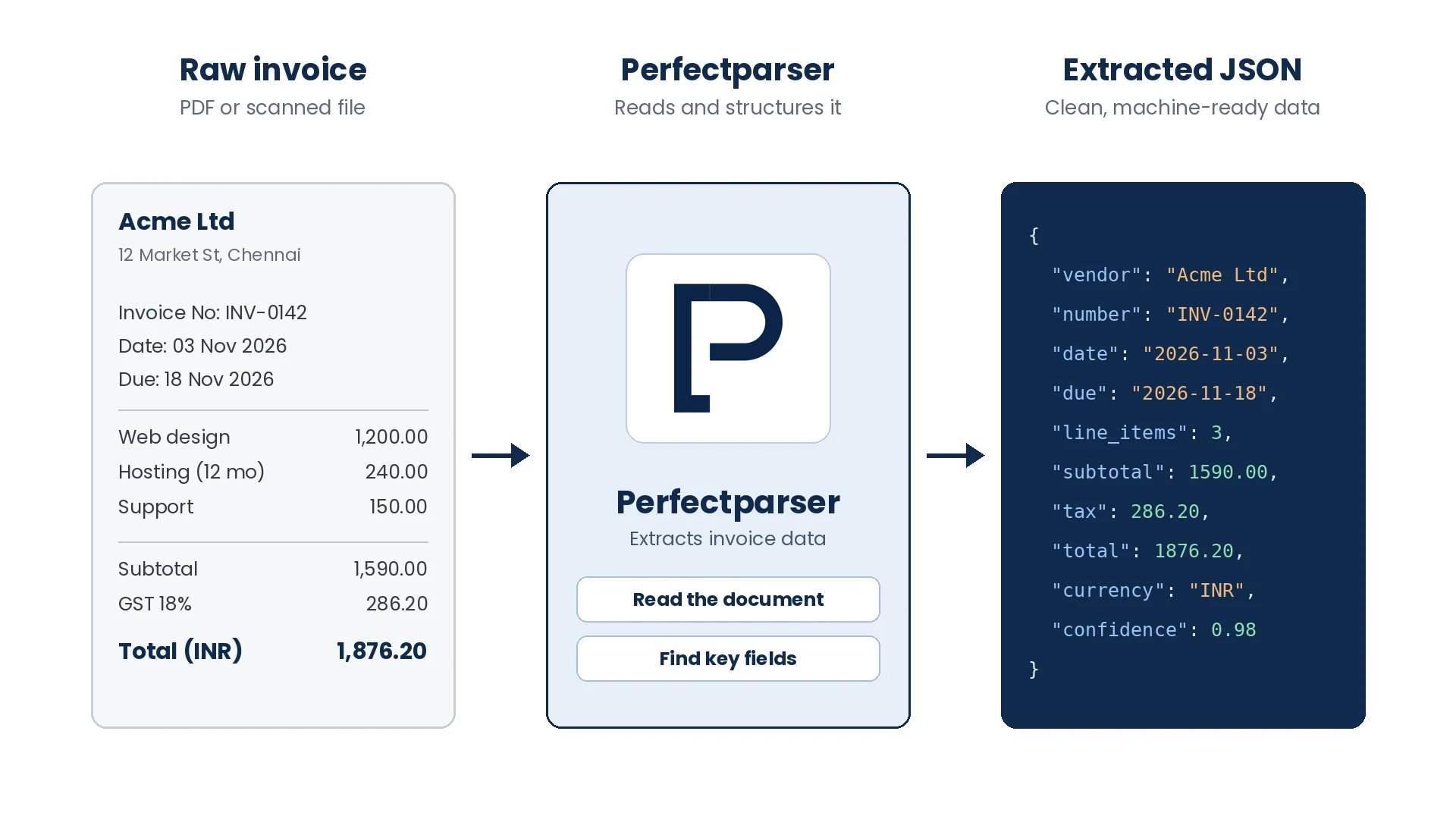
Extracted invoice data is only useful if it reaches your accounting system in a format that system can use. PerfectParser exports each record as JSON or CSV, so it fits into the tools most construction finance teams already run.
Every export includes the header information (vendor, project, billing period) and the line detail (contract sum, work completed, stored materials, retainage). Field names stay consistent from one invoice to the next, which makes mapping to your chart of accounts a one-time setup instead of a monthly chore.
Because the output is standard JSON or CSV, it also works with other systems your team relies on, not only the four listed above.
How to Choose Construction Invoice Automation Software
When you evaluate construction invoice automation software, test it with your own documents, not a vendor's sample files. Ask for a trial using a few real pay applications, including your messiest ones.
Use this checklist to compare options:
- Table extraction. Does it read multi-page G703 schedules of values completely and accurately?
- Field separation. Are contract sum, work completed, stored materials, and retainage returned as separate fields?
- Retainage handling. Does it capture retainage at the rates your subcontractors use, commonly 5% to 10%?
- Document variety. Can it read scans, PDFs, spreadsheets, and phone photos?
- CIS support. If you work in the UK, does it separate labor from materials?
- Export formats. Does it produce JSON or CSV that maps cleanly to Procore, Sage 300 CRE, Viewpoint Vista, or QuickBooks?
- Review experience. Can your team compare extracted values against the original document quickly?
- Security. How is your financial data stored, and who has access?
A tool that scores well on the first four items will handle most of the real-world variety your AP team sees. The rest depend on your systems and where you operate.
Automate AIA Pay Apps & Subcontractor Invoices
Extract multi-page G703 schedule of values tables, retainage splits, and CIS labor deductions directly into structured accounting feeds. 20 free page credits included.
Test Construction Extraction Free →