
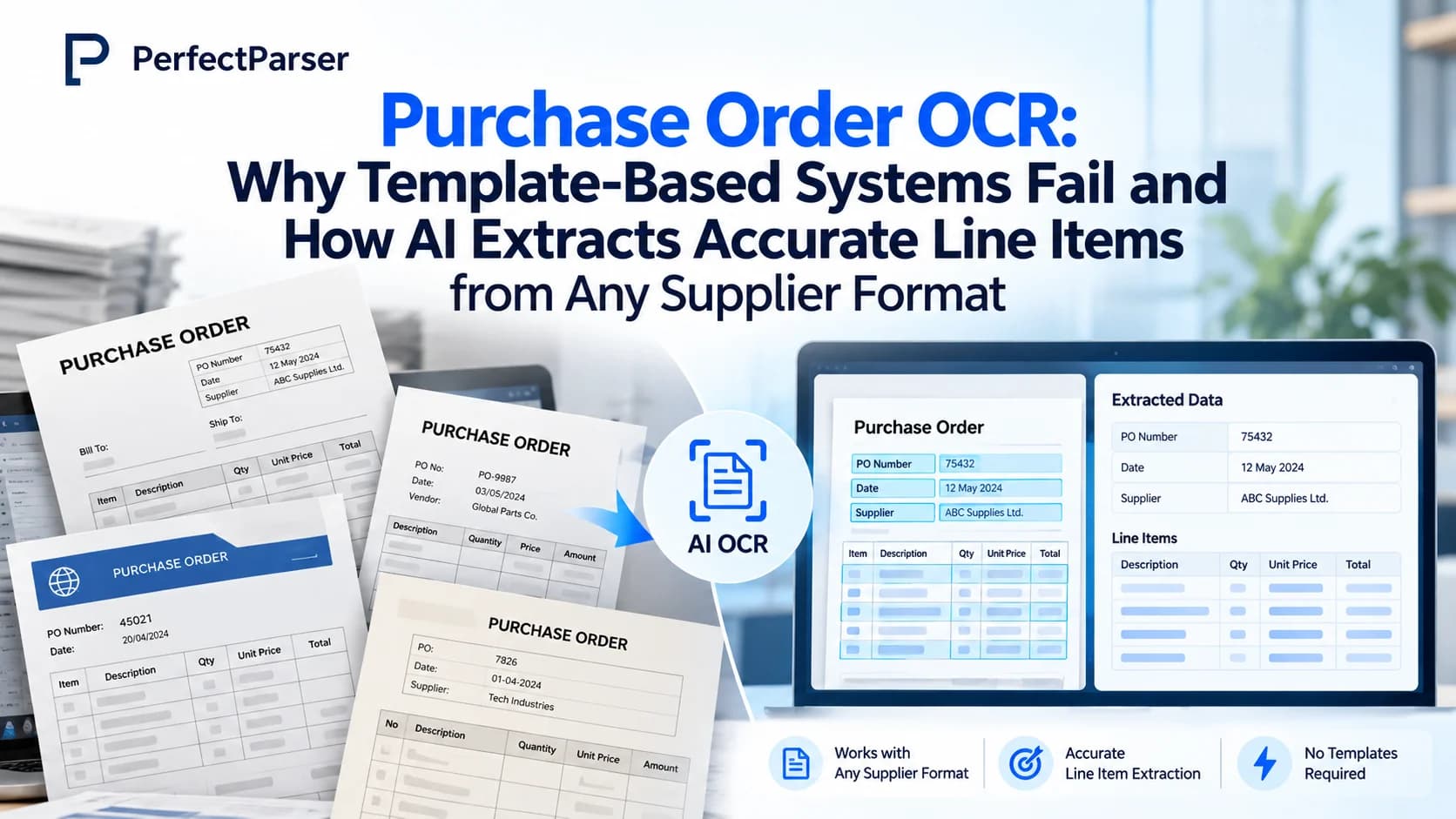
Quick answer: Purchase order OCR uses optical character recognition and AI to convert PO PDFs, scans, and emails into structured ERP data. Unlike legacy template OCR that breaks when supplier layouts shift, modern AI reads semantic meaning—extracting line items, SKUs, quantities, and pricing from any vendor format with zero manual coordinate mapping.
What Is Purchase Order OCR?
Purchase order OCR is the use of optical character recognition combined with AI to read purchase orders and turn them into machine-readable data. It captures fields like vendor details, product names, quantities, and prices, replacing manual data entry.
Traditional OCR reads raw characters on the page, but character recognition alone does not tell you what those characters represent. Modern purchase order extraction combines OCR with generative AI and computer vision. The AI works out what each piece of text means in context—for example, determining whether "24" is a quantity, a unit price, or part of an internal SKU.
The output is structured and validated, so your ERP or procurement system (such as SAP, NetSuite, or QuickBooks) can ingest it directly. You may also see this called automated PO extraction, purchase order recognition, or purchase order data extraction.
How does purchase order OCR work?
- Upload or ingest: Receive POs via email inbox, PDF upload, or API.
- Read characters: OCR extracts raw text and coordinates from the page.
- Semantic parsing: AI identifies header fields, line-item tables, and taxes based on document meaning.
- Validation loop: Data is validated against business rules and confidence scores.
- ERP handoff: Clean JSON, XML, or CSV is delivered straight to your ERP or order management system.
Why Is Purchase Order Processing a Critical Business Process?
A purchase order is the buyer's formal commercial commitment to a supplier. It legally specifies what items are ordered, in what quantities, at what negotiated prices, and for delivery on what date. Errors here spread into everything downstream: warehouse fulfillment, inventory planning, and accounts payable invoice matching.
Many B2B orders still arrive as PDF attachments by email, requiring staff to manually re-key lines into order desks (see our guide to purchase order processing for wholesale distributors). Even where EDI exists, the implementation overhead means it is often only viable for top-tier trading partners.
Manual PO handling creates severe operational friction:
- Order delays: Orders sit in email inboxes waiting for manual data entry.
- Transcription errors: A transposed SKU or quantity digit triggers incorrect shipments and returns.
- Hidden labor costs: Skilled operations staff spend hours typing rather than resolving customer exceptions (see our 2026 purchase order processing cost benchmark).
- Scalability bottlenecks: Every increase in order volume forces teams to add clerical headcount.
Key Applications of AI in Purchase Order Processing
Why Template-Based Extraction Is Not the Best Approach
Legacy template-based OCR systems rely on zonal coordinates. You manually mark pixel boxes on a sample document: "SKU is in column 3, quantity is in column 5." This rigid approach functions only as long as the layout never changes.
Suppliers redesign and adjust layouts constantly, and buyers have no control over those changes.
A typical failure scenario: A supplier upgrades their ERP system. Their new purchase order layout prints the SKU in column 4 instead of column 3. The coordinate template continues reading column 3, returning empty or mismatched values. The automation breaks silently, queues back up, and staff revert to keying orders by hand.
Template systems fail because they:
- Break on layout change: Moved columns, new header lines, or extra discount fields cause total extraction failure.
- Require one template per supplier: Managing hundreds of supplier templates becomes an unsustainable maintenance burden.
- Struggle with multi-page line items: Complex tables that span pages or wrap descriptions confuse fixed coordinate bounding boxes.
- Fail silently: Shifted columns can produce plausible yet entirely incorrect numbers that corrupt ERP inventory.
How AI Reads Purchase Orders Without Templates
AI-based extraction understands documents semantically. Rather than asking where a value sits on the page, it recognizes what the value means. It understands that a column of alphanumeric codes under headers like "Item No.", "Part #", or "Product Code" represents the SKU, regardless of where that column appears.
The AI uses multiple contextual signals:
- Header text and synonyms: "Qty", "Quantity", "Units Ordered", "Pieces".
- Data patterns: Currency formats, ISO date patterns, unit-of-measure abbreviations (EA, CS, PK).
- Table geometry: Understanding multi-row descriptions, sub-totals, and line item relationships.
- Global context: Distinguishing whether "25" represents a quantity ordered, a pack size, or a line price.
When a supplier redesigns their purchase order, extraction continues uninterrupted because the semantic meaning remains unchanged.
4 Use Cases of Templateless Extraction
- High-variety supplier networks: One extraction pipeline handles hundreds of distinct supplier formats without per-vendor setup.
- ERP upgrades and format changes: Vendor software updates never stall your intake pipeline.
- Scanned or mobile-captured documents: Skewed, rotated, or low-resolution scans are pre-processed and parsed accurately.
- Multi-page and nested line-item tables: Line items spanning multiple pages with nested item descriptions are captured cleanly.
Don't Let Template-Based Extraction Stall Your Workflows
When teams constantly ask "why did extraction fail this time?", the issue is almost always coordinate templates, not document complexity. Every layout variation becomes an IT support ticket. Transitioning to layout-independent AI turns those failures into seamless, touchless processing.
The Automated Purchase Order Workflow
- Capture: Inbound POs arrive via email inbox, batch upload, or webhook API.
- Classify: AI verifies the document is a purchase order rather than an invoice or quote.
- Extract: Header fields and table line items are extracted semantically.
- Score & Validate: Field-level confidence scores are calculated, and totals are cross-checked.
- Exception Review: Low-confidence fields are highlighted for quick human verification.
- Export: Clean, validated JSON or CSV flows directly into your ERP or WMS.
By reviewing only flagged exceptions, operations teams maintain complete data integrity while processing orders in seconds rather than hours.
How PerfectParser Handles Purchase Order OCR
PerfectParser is designed specifically for environments where supplier document layouts vary:
- Reads meaning, not coordinates: Zero template configuration, and zero breakage when columns move.
- Handles varied supplier formats: Ingests PDFs, scanned images, Excel sheets, and email attachments through one unified pipeline.
- Confidence scoring and human-in-the-loop validation: Low-confidence fields are flagged for fast review before data enters downstream systems.
- ERP-ready exports: Structured JSON, CSV, and direct webhook integrations for SAP, NetSuite, and QuickBooks.
If you are automating developer workflows, our purchase order OCR API enables programmatic document ingestion and structured JSON extraction in seconds. Explore how purchase order data extraction streamlines your order intake.
Stop Rebuilding Broken PO Templates
Upload complex supplier purchase orders, multi-page tables, or mobile scans and let AI extract clean JSON instantly. No coordinate mapping or per-vendor maintenance required — 20 free credits included.
Start Extracting PO Line Items Free →