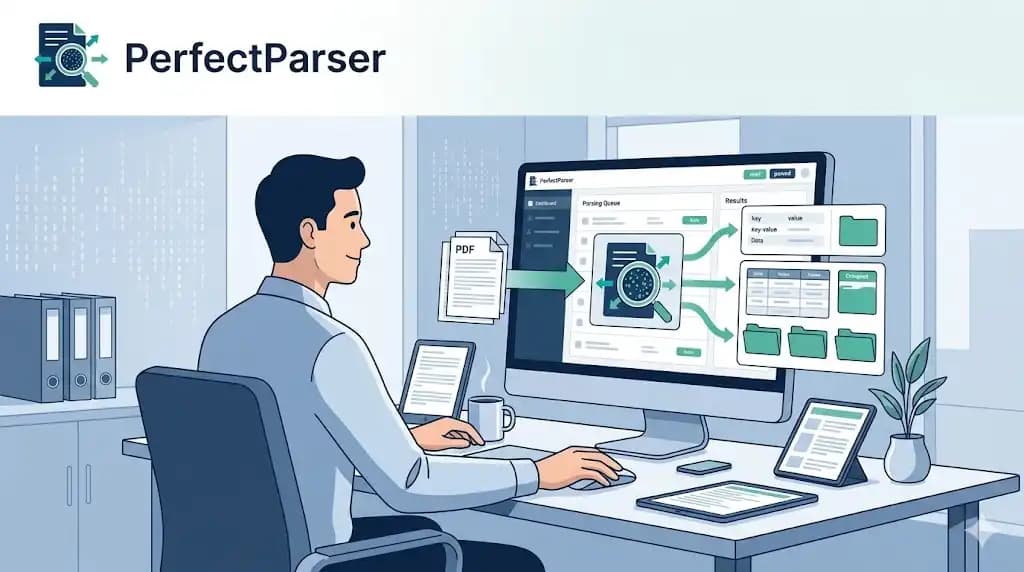
Every day, invoices, receipts, and order confirmations pile up in your inbox. Someone has to open each one, pull out the numbers, and manually enter them into a spreadsheet or accounting system.
That someone is usually you — or a member of your team burning hours on work that software should be doing.
Email data extraction automation solves this entirely. Instead of opening attachments and copying data by hand, you forward emails to an AI parser that reads the attachment, pulls the relevant fields, and delivers structured data — in seconds. For teams primarily automating invoice data extraction, the email parser is the most direct path from vendor inbox to structured AP records.
This guide walks through how it works, who benefits most, and how to set it up in under 10 minutes.
Why Manually Extracting Data from Emails Is a Bigger Problem Than It Looks
Most businesses dramatically underestimate how much time they spend on this. Here is what the actual workflow looks like for a typical accounts payable team member:
- •Open email
- •Download PDF attachment
- •Open PDF
- •Manually read and copy: vendor name, invoice number, date, line items, total
- •Switch to spreadsheet or accounting system
- •Paste or retype the values
- •Repeat for the next email in the queue
At roughly 5–8 minutes per invoice, a team processing 100 invoices a month spends 8–13 hours on data entry alone. That is nearly two full working days — every single month — on a task that adds zero strategic value.
The hidden costs compound further:
- •Entry errors occur on 1–3% of manual records, leading to duplicate payments, reconciliation issues, or audit flags
- •Delayed posting because the queue backs up during peak periods
- •Context switching disrupts focus and slows down every other task
- •Scalability walls — you can't double invoice volume without doubling headcount
Automated email data extraction eliminates all of this.
What Is an Email Parser?
An email parser is software that automatically reads emails — either the body text or attached files — and extracts structured data from them.
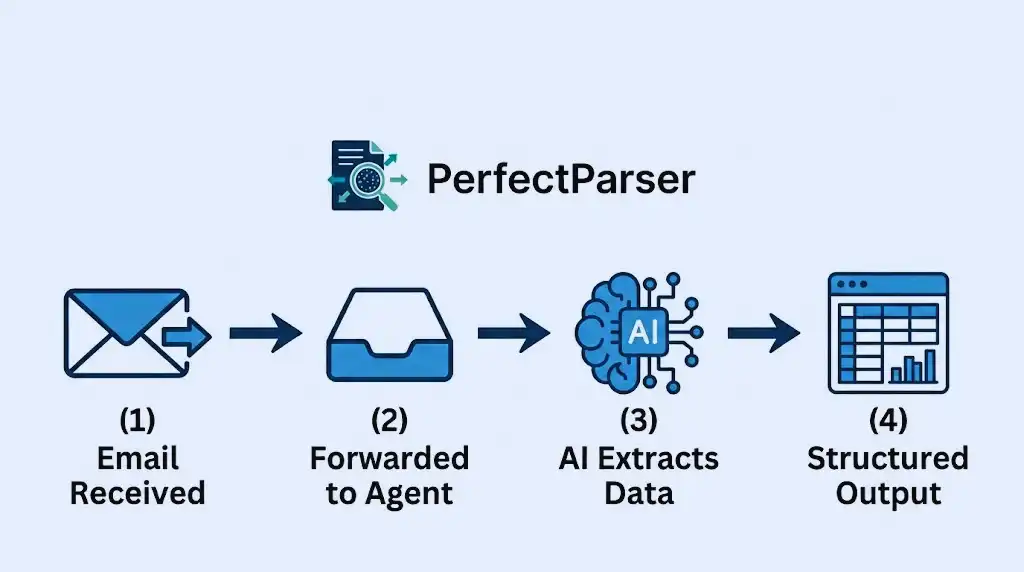
When a vendor sends you an invoice as a PDF attachment, for example, an AI email parser:
- •Receives the email (via forwarding or API)
- •Opens and reads the PDF attachment using OCR and AI
- •Identifies and extracts the key fields: vendor, invoice number, date, line items, total
- •Returns the data as a clean, structured output (Excel, CSV, or JSON)
The critical distinction between a basic OCR tool and a modern AI email attachment parser is how it handles layout variation. Traditional OCR requires templates — you define exactly where each field appears on the page. Modern AI parsers understand document structure semantically, so they work regardless of whether the invoice comes from Amazon, a local contractor, or an overseas supplier using a completely different format.
How to Extract Data from Emails Automatically: Step by Step
Here is the practical workflow for automating email data extraction with PerfectParser:
Step 1: Create an Extraction Parser
An extraction parser is a set of instructions that tells the AI what fields to pull from your documents. For invoices, you would define fields like: Vendor Name, Invoice Number, Issue Date, Due Date, Line Items, Subtotal, Tax, and Total.
Because PerfectParser uses AI, you do not build templates — you upload one or two sample documents and the schema is generated automatically.
Step 2: Set Up Email Forwarding
Once your parser is ready, it gets a dedicated inbox address. In Gmail or Outlook, you create a filter rule that auto-forwards any email containing an invoice attachment to that address.
From that moment on, every new email with an invoice goes directly into your extraction queue — without you touching it.
Step 3: AI Parses the Attachment
When the email arrives in your parser inbox, PerfectParser automatically:
- •Detects and opens the attached PDF (or image)
- •Runs AI-powered OCR to read the content
- •Extracts your defined fields with high accuracy
- •Flags any values it is uncertain about for review
This handles everything from a clean, machine-generated PDF to a scanned paper invoice photographed on a phone.
Step 4: Export and Sync
The extracted data appears as a structured record. You can:
- •Download as Excel (XLSX) — ideal for teams working in spreadsheets
- •Download as CSV — for direct import into QuickBooks, Xero, FreshBooks, or any ERP
- •Push via webhook — for automated syncing to your database or internal tools
For finance teams using QuickBooks, extract the invoice with the free Invoice to CSV converter, then import under Settings → Import data → Bills.
Who Benefits Most from Automated Email Parsing?
Accounts Payable Teams AP teams processing high volumes of supplier invoices are the most obvious beneficiaries. Automated email invoice parsing eliminates the manual queue and dramatically reduces processing time per invoice — from minutes to seconds. This is the core use case for automated invoice data extraction.
Bookkeepers and Accountants Client bookkeeping involves collecting documents from multiple sources across multiple clients. When clients forward bills, receipts, and bank statements to a shared inbox, automated email parsing turns that inbox into a structured data feed — no chasing, no manual data entry.
Operations and Procurement Teams Purchase orders, supplier confirmations, and delivery notes all arrive via email. With an email attachment extractor, procurement teams can capture PO data directly from their inbox and push it into their procurement system automatically.
E-commerce Operators Order confirmations, shipping notices, and supplier invoices all flow through email. Automating the extraction of line items, tracking numbers, and invoice totals removes a significant manual workload from daily operations.
Anyone Who Receives Recurring Document Emails
If you regularly receive emails with PDFs or scanned documents that contain structured data — and you end up manually copying that data somewhere else — email parsing automation will save you significant time.
Email Parsing vs. Traditional OCR: What's the Difference?
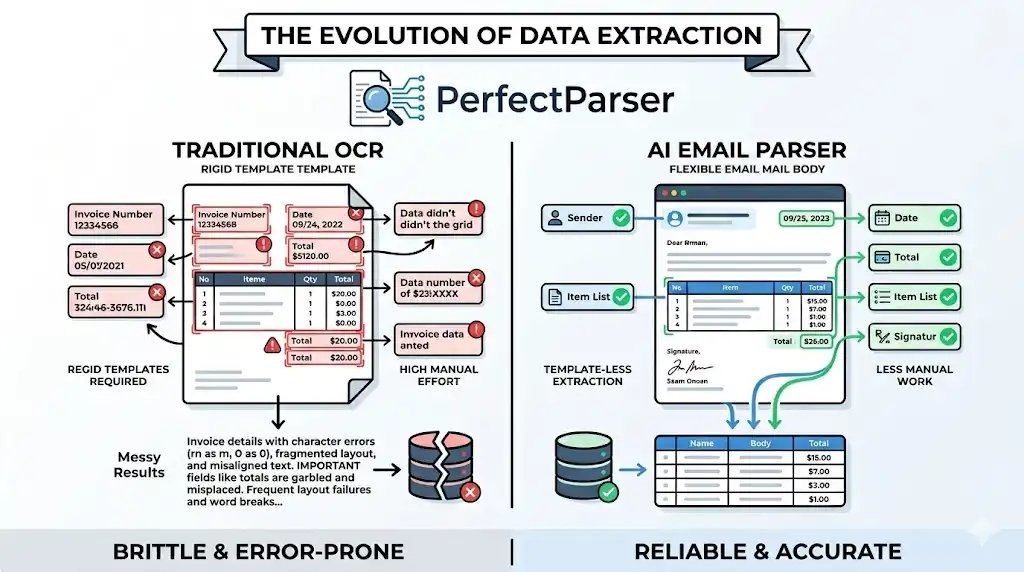
Traditional email OCR software requires you to define bounding boxes for every field on every template. When a new vendor sends an invoice in a slightly different format, the template breaks and someone has to fix it manually.
AI-powered email parsers learn from document structure, not pixel coordinates — so they handle variation without any reconfiguration.
Common Questions About Email Data Extraction
Can I extract data from Gmail automatically? Yes. Set up a filter in Gmail Settings → Filters → "Forward to" and point it at your PerfectParser parser inbox. Every matching email will be processed automatically from that point.
How to convert email attachments to Excel? The simplest workflow: forward the email to your parser inbox → AI extracts the data → download as XLSX. The whole process takes under 30 seconds once the forwarding rule is set up.
Does it work for receipts as well as invoices? Yes. The same email parsing workflow applies to receipt data extraction, expense reports, purchase orders, and any other structured document type that arrives as an email attachment.
What about GDPR and data security?
PerfectParser processes your documents through a stateless backend — meaning your data is not stored permanently after extraction. You control what fields are captured and where the output goes.
How PerfectParser Fits Into Your Email Workflow
PerfectParser's AI email parser is designed to slot directly into the inbox workflow your team already uses — without replacing your email client or requiring complex integrations.
Here is what that looks like in practice:
- •Your vendor sends an invoice to
invoices@yourcompany.com - •Your forwarding rule sends it to your PerfectParser parser inbox
- •AI extracts the data in seconds
- •You download the CSV and import it into your accounting software
- •Done
No dashboard to log into for every document. No template maintenance. No training data. Just emails in, structured data out.
Key Benefits at a Glance
- •Processing time: 5–8 minutes per email → under 30 seconds
- •Error rate: 1–3% manual → under 0.5% automated
- •Setup time: Under 10 minutes
- •Works with Gmail, Outlook, and any email client that supports forwarding
- •No templates or bounding boxes required
- •Exports directly to Excel, CSV, or JSON
Final Thoughts
Manual email data entry is one of the most invisible time sinks in modern business operations — invisible because it happens in small increments, email by email, every single day.
Automated email parsing does not require a large IT project or a dedicated integration team. It requires an AI extraction parser, a forwarding rule, and about 10 minutes of setup.
Once it is running, your inbox becomes a data pipeline — and your team gets back the hours they were spending on copy-pasting.
Try PerfectParser Free
Extract data from your first documents today. No credit card required — 20 free credits included.
Start Extracting →