
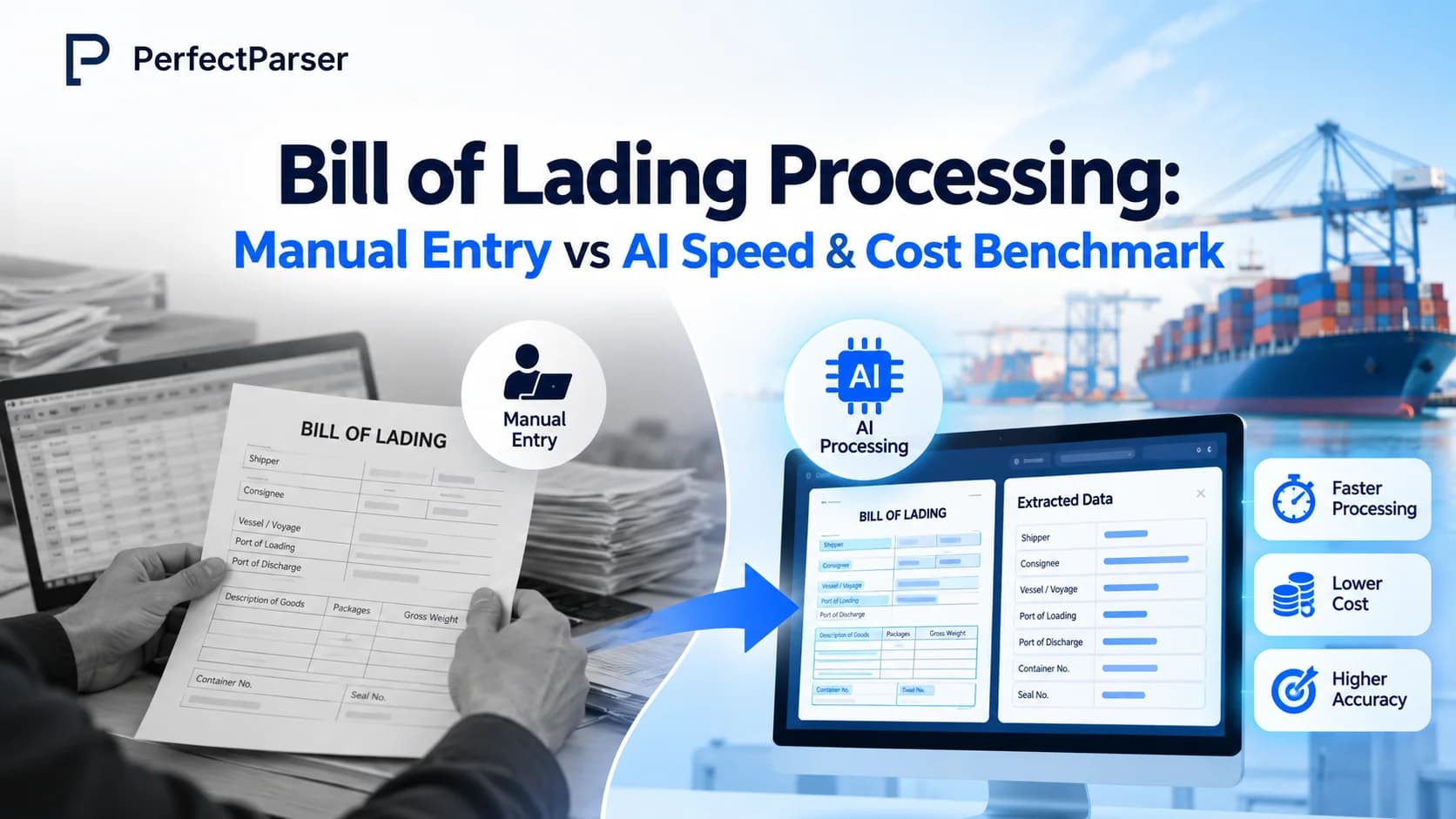
Quick answer: Bill of lading processing with AI takes seconds to minutes per document with consistent field extraction, compared to manual entry which averages 5–10 minutes per document at linear labor costs. In a 5,000 BOL/month operation, AI-assisted processing reduces monthly labor from ~$10,000 to ~$1,667 (an 83% reduction) while helping prevent costly port demurrage, customs delays, and data transcription errors.
Bill of lading processing is the work of capturing, validating, and moving the data on a shipping document into your TMS, ERP, customs, and finance systems. Done by hand, it is slow, repetitive, and easy to get wrong. With bill of lading data extraction powered by AI, the same fields can be read in seconds, checked against rules, and sent downstream with far less typing.
This guide compares manual entry and AI on the three things that matter most to logistics teams: cost, speed, and accuracy. You will see a simple cost formula, a worked example, a checklist for evaluating AI platforms, and answers to the questions buyers ask most often.

How Manual Bill of Lading Processing Works
A bill of lading (BOL) is a document issued by a carrier that serves as a receipt for goods, evidence of the contract of carriage, and, in many cases, a document of title.
Because the BOL carries so much operational and legal information, almost every downstream team depends on it:
- Operations use it to track cargo.
- Finance uses it to match freight invoices.
- Customs brokers use it to prepare filings.
- Customer service uses it to answer "where is my shipment?" questions.
That is why data captured from it must be right the first time.
The Typical Manual Workflow
In a manual workflow, a clerk usually does the following:
- Receives the document. BOLs arrive by email, supplier portal, EDI attachment, or paper scan, often in a mix of formats.
- Reads the document. The clerk finds the shipper, consignee, notify party, BOL number, vessel and voyage, ports of loading and discharge, container and seal numbers, package counts, gross weight, and cargo description.
- Types the data. Each field is keyed into the TMS, ERP, or a spreadsheet.
- Cross-checks. The clerk compares the entries with the booking, commercial invoice, and packing list.
- Fixes mismatches. When an error surfaces later, sometimes days later, the clerk re-opens the document and re-enters the data.
Where Manual Processing Breaks Down
The weak points are predictable:
- Inconsistent layouts. Every carrier and forwarder formats the BOL differently. Fields move around, labels change, and the same value can appear in several places.
- Dense small print. Long cargo descriptions, marks and numbers, and clause text make it easy to miss a detail.
- Handwriting and stamps. Handwritten amendments and stamps over text are hard to read, even for experienced staff.
- Fatigue. Repetitive keying leads to transposed digits, skipped fields, and copy-paste mistakes, especially late in the day or during peak season.
- Late error discovery. A wrong value is often found only when a customs filing is rejected, an invoice fails to match, or a container is held at the port.
A single wrong container number, gross weight, or HS code can trigger a customs hold, delay a release, or create demurrage charges. Small keying mistakes become expensive operational problems.
AI-Powered Bill of Lading Processing
AI-powered bill of lading processing combines optical character recognition (OCR) with language models and validation logic. Instead of looking for a value at a fixed position on the page, the system identifies fields by meaning and context. That is why it can read a layout it has never seen before.
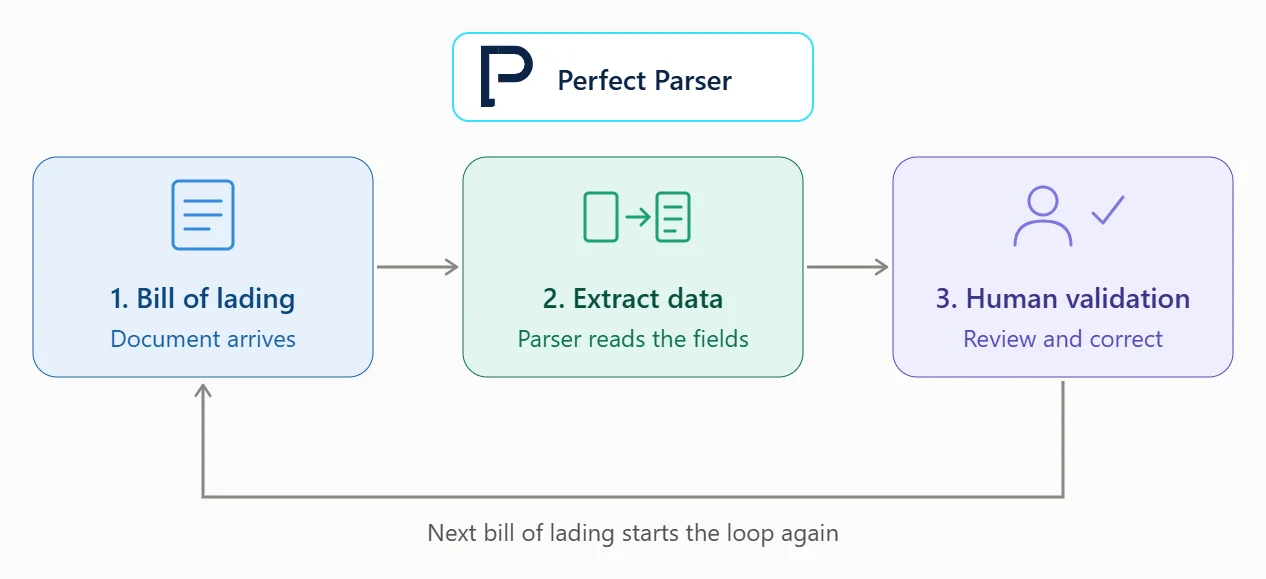
How the AI Workflow Runs
- Ingest. PDFs, scans, photos, and email attachments are collected automatically from inboxes, portals, or storage folders.
- Extract. The model identifies and captures fields such as BOL number, carrier, vessel, voyage, ports, shipper, consignee, notify party, container and seal numbers, package counts, weights, and cargo description.
- Validate. Rules check that data is well formed. For example, container numbers follow the ISO 6346 standard, which includes a check digit that software can verify instantly. The system can also compare extracted values with the booking or invoice.
- Review exceptions. Only low-confidence or conflicting fields are sent to a person. Everything else passes through.
- Export. Clean, structured data flows to your TMS, ERP, or spreadsheets through an integration or API.
Why Template-Free Extraction Matters
Older, template-based tools needed a new template for every carrier layout. Whenever a carrier updated its form, the template broke and someone had to rebuild it. AI-based extraction reads the document contextually, so a new layout does not require weeks of setup. For freight forwarders and importers who deal with dozens or hundreds of carriers (see how an AI parser normalizes multi-carrier documents), that flexibility is often the deciding factor.
What AI Does Not Replace
AI does not remove human judgment. It removes the repetitive part of the job. Staff move from typing data to reviewing exceptions, resolving discrepancies, and handling the unusual cases that need experience. That shift is good for accuracy and for morale.
Manual Data Entry vs AI: Cost Benchmark
How much does bill of lading data entry cost? The answer depends on your volume, handling time, labor rate, and error rate. Use this formula as a starting point:
Monthly Cost Formula:
Monthly cost = BOLs per month × (minutes per BOL ÷ 60) × loaded hourly labor rate
Then add the cost of rework, delays, and penalties.
Illustrative Example
The table below is a model, not a measured result. Replace each assumption with your own figures:
In this model, labor time drops by about 83 percent. The AI column does not include the software fee, so compare the subscription or per-document price with the roughly $8,300 in monthly labor it frees up. Note that freed hours are not always cut hours. Many teams redeploy the time to customer service, exception handling, or growth instead of adding headcount as volume rises.
The Hidden Cost of Manual Bill of Lading Data Entry
The cost of manual bill of lading data entry goes beyond the formula. Several expenses do not appear on a payroll report:
- Correction time. Every error found later requires someone to locate the document, find the mistake, fix it in one or more systems, and notify affected teams.
- Delay costs. A wrong or missing field can delay booking confirmation, customs clearance, or release of cargo.
- Demurrage and detention. When containers sit at a port or terminal past free time, daily charges accumulate quickly.
- Invoice disputes. Mismatches between the BOL, invoice, and freight bill slow payment and strain relationships.
- Turnover and training. Repetitive data entry is a difficult role to retain people in, and each new hire needs weeks to reach full speed.
- Peak-season overtime. Volume spikes force overtime or temporary staff, both of which cost more per document.
Adding the Error Cost
A simple way to estimate error cost is:
Error Cost Formula:
Error cost = documents with errors × average cost per error
If 3 percent of 5,000 monthly BOLs contain an error, that is 150 documents. If each takes 20 minutes to fix at $20 per hour, that is about $1,000 in correction labor alone, before any demurrage or penalty. One held container can cost far more than that. Your own numbers will differ, but the exercise shows why error rate belongs in any cost comparison.
When Manual Still Makes Sense
At very low volumes, such as a handful of documents a week, manual entry can be perfectly reasonable. The setup effort for automation may not pay off. As volume, carrier variety, or error costs grow, the gap widens quickly.
Manual Data Entry vs AI: Speed Benchmark
Speed differs in two ways: processing time per document and turnaround time across the whole workflow. Teams often focus on the first and overlook the second, where most of the delay lives.
Per-Document Speed
A clerk may need five to ten minutes to read, key, and check one BOL, depending on its length and complexity. AI extraction usually completes in seconds. Even if a person reviews flagged fields afterward, the total handling time per document is much shorter, because most documents need little or no review.
Workflow Speed
The bigger gain is in queue time. In a manual process, documents wait in an inbox until someone can get to them. If a vessel arrives on a weekend or a batch of documents lands at 5 p.m., the queue grows. AI works around the clock, so data is ready when the team starts work, or sooner.
Faster data means faster downstream actions:
- Booking and shipment confirmations reach customers sooner.
- Customs filings can be prepared earlier, leaving time to correct problems before deadlines.
- Freight invoices can be matched and approved faster.
- Visibility improves because tracking systems hold current data.
Scaling Without Hiring
Manual capacity is tied to headcount. Doubling volume means roughly doubling staff. AI capacity is tied to software, so a seasonal surge does not require recruiting and training temporary workers. For businesses with unpredictable peaks, this is often the most valuable speed benefit.
Accuracy: Manual Entry vs AI Extraction
Accuracy is where many buyers are most skeptical, and that is a healthy instinct. Neither approach is perfect, so the useful question is where each fails and how well errors are caught.
Manual Accuracy
Manual entry accuracy depends on the person, the document quality, the time of day, and the workload. Typical mistakes include transposed digits in container numbers, missed decimal points in weights, wrong party names, and skipped fields. Because these mistakes are random, they are hard to predict and often go unnoticed until they cause a problem.
AI Accuracy
AI extraction is consistent. It does not get tired, and it applies the same logic to the first document and the ten-thousandth. But it is not flawless. Poor scans, low-resolution photos, stamps over text, skewed pages, and unusual layouts can reduce confidence. Ambiguous documents, such as those listing several consignees or multiple cargo descriptions, may need review.
How Strong Systems Reduce Errors
The best platforms do not just extract data; they manage uncertainty. Look for:
- Field-level confidence scores that show how sure the system is about each value.
- Validation rules for formats, totals, and dates, such as container number check digits.
- Cross-document matching against bookings, invoices, and packing lists.
- Human-in-the-loop review so uncertain fields are checked instead of passing silently.
- Learning from corrections so recurring problems are fixed over time.
- Audit trails that record what was extracted, what was changed, and by whom.
The practical result is not "zero errors." It is fewer errors, caught earlier, before they reach customs, finance, or a customer.
How to Measure Accuracy Fairly
When you evaluate any tool, measure accuracy per field rather than per document. A document with 29 correct fields and one wrong container number is still a problem, but a per-field view shows where the system is strong and where it needs review rules. Also compare against your current manual error rate, not against perfection.
AI Document Processing Investment
Think about the investment in three parts: software, implementation, and change management.
1. Software Cost
Pricing usually comes as a monthly or annual subscription, a per-document fee, or a tiered plan based on volume. Compare the total against the labor hours and error costs it replaces. Ask what happens to the price when your volume grows or when you add new document types, such as commercial invoices, packing lists, and delivery orders.
2. Implementation
Implementation covers connecting the platform to your TMS, ERP, or accounting system, setting up input channels such as email or SFTP, and defining validation rules. Modern platforms with APIs and prebuilt integrations shorten this step considerably. Ask vendors for a realistic timeline and what your team needs to provide.
3. Change Management
The most overlooked part is people. Staff who once typed data now review exceptions. Give them clear guidance on what to check, how to correct fields, and when to escalate. Involve them early. Teams that understand the tool as a way to remove tedious work adopt it faster.
Estimating Payback
Payback typically comes from three sources: labor hours saved, fewer costly errors, and faster cash flow. To estimate ROI:
- Run your volume through the cost formula above for the manual process.
- Estimate the AI-assisted handling time, including exception review.
- Subtract the software and implementation cost.
- Add an honest estimate of error-related losses avoided.
- Divide the annual net benefit by the total investment.
Be conservative. If the case works with cautious assumptions, it will hold up when finance reviews it.
Which AI-Based Platforms Are Best for Reducing Data Errors?
Buyers often ask which AI-based platforms are best for reducing data errors. The honest answer is that the best fit depends on your documents, systems, and volume, so judge platforms by criteria rather than brand names:
- Field-level confidence scores and clear exception handling.
- Validation rules and cross-document matching.
- Layout flexibility across carriers without per-template setup.
- Multi-format input, including scans, PDFs, photos, and email attachments.
- Integrations and API that connect to your existing systems.
- Audit trail showing what was extracted and what was corrected.
- Security and data handling suited to commercial trade documents, including access controls and data retention policies.
- Support and onboarding so your team is productive quickly.
Run a Proof of Concept
Before committing, run a pilot with 50 to 100 of your real documents, including the messy ones: blurry scans, handwritten notes, and unusual carrier forms. Measure field-level accuracy, the percentage of documents that pass without review, and the time your team spends on exceptions. Real results beat any demo.
How PerfectParser Handles Bill of Lading Data Extraction
PerfectParser's bill of lading data extraction turns incoming BOLs into structured, system-ready data without requiring a template for each carrier. It is built for teams that want to reduce manual keying while keeping control of data quality:
- Reads varied layouts. It extracts shipper, consignee, notify party, vessel, ports, container and seal numbers, weights, package counts, and cargo details from different carrier formats.
- Validates as it goes. Missing or inconsistent fields are flagged for review instead of being passed along.
- Keeps humans in control. Low-confidence fields go to a reviewer, so uncertain data does not slip into your systems.
- Exports cleanly. Structured data can be sent to your TMS, ERP, or spreadsheets.
- Scales with volume. Whether you handle hundreds or thousands of documents a month, processing time stays consistent.
Who Benefits Most
Freight forwarders, customs brokers, importers and exporters, 3PLs, and finance teams that reconcile freight invoices tend to see the fastest gains, because they handle high volumes across many carriers (see our guide to automating BoL data entry for freight forwarders & 3PLs).
Stop Typing Bills of Lading by Hand
Upload a scanned PDF or photo of your bill of lading and let AI instantly pull out the shipper, consignee, container numbers, and cargo lines. No technical setup required — start free with 20 credits.
Try It Free on Your Documents →