
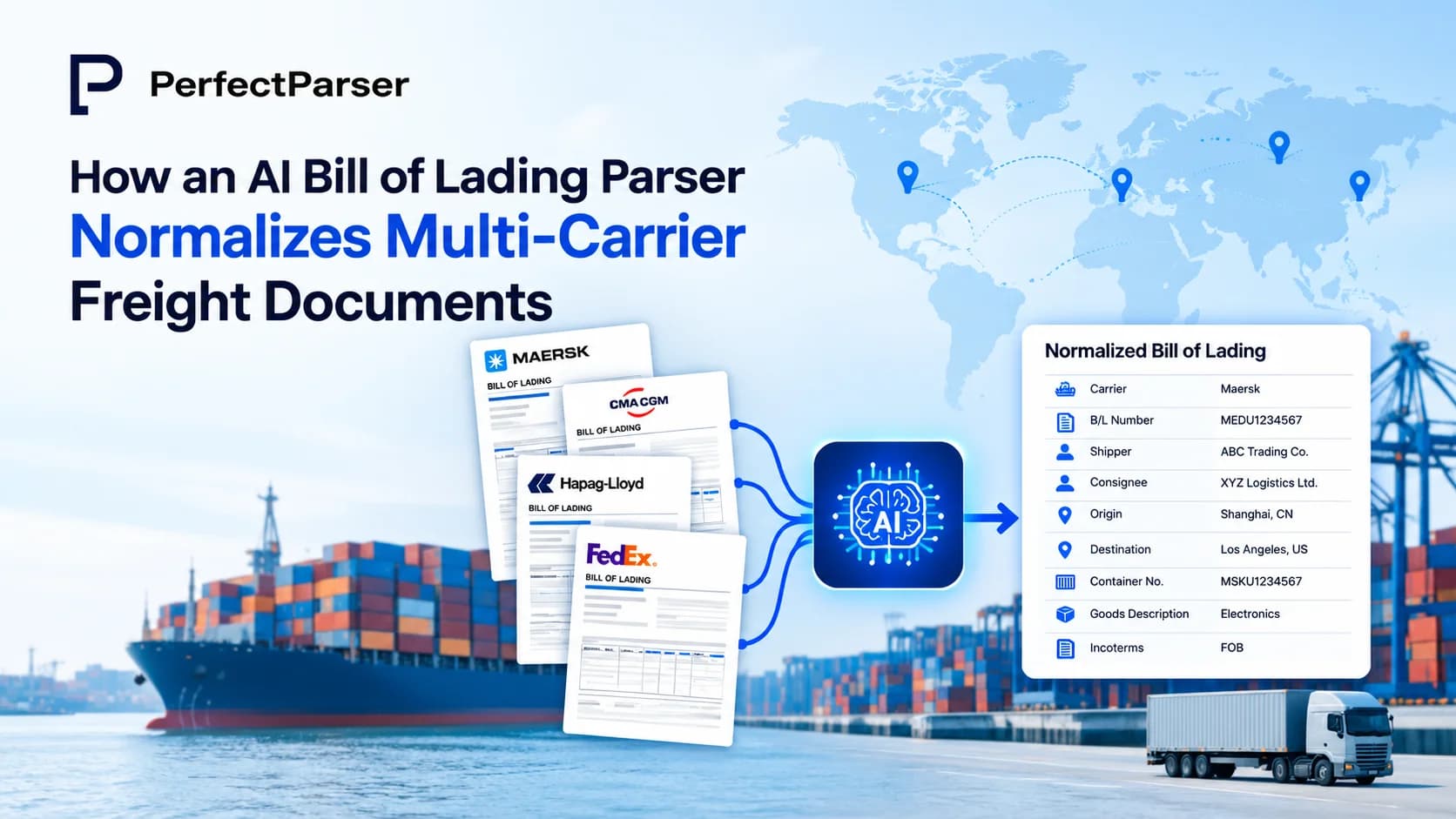
Quick answer: An AI bill of lading parser uses computer vision and contextual language models to extract and standardize data (shipper, consignee, container numbers, line items) across disparate carrier layouts into a unified JSON or CSV schema—eliminating the need to build or maintain custom templates for each shipping line.
Key Takeaways
- •A bill of lading parser uses AI to read BOLs from any carrier and convert them into structured, usable data with no manual keying required.
- •BOLs are hard to automate because every carrier uses a different layout, and many mix typed text with handwriting.
- •Modern AI extraction works in stages — layout capture, field understanding, and validation — rather than relying on fixed templates.
- •The right platform should handle every type of bill of lading, not just one format, and flag low-confidence fields for review instead of guessing.
- •PerfectParser AI applies this approach across carriers, so BOL data lands in your TMS or ERP ready to use.
What Is a Bill of Lading Parser?
A bill of lading parser is an AI tool that reads a bill of lading — scanned, photographed, or typed — and converts it into structured data: shipper, consignee, carrier, vessel and voyage number, ports of loading and discharge, cargo description, weight, and freight terms. Instead of someone manually keying each field into a TMS or ERP, the parser identifies every bill of lading data element on the page and outputs it in a format downstream systems can use immediately.
The distinction from basic OCR matters here. OCR reads text off a page. A parser understands what that text means; it knows a number next to "Gross Weight" is a weight value and not a PRO number, even when the layout shifts from one carrier's document to the next.
What Makes a Bill of Lading Hard to Process?
A bill of lading isn't a simple form. It functions simultaneously as a receipt of goods, a contract of carriage, and a document of title — which is exactly what makes it hard to automate with generic tools.
A few specific reasons:
- •No standard layout. Every carrier, NVOCC, and freight forwarder formats their BOL differently, so a template built for one carrier breaks on the next.
- •Mixed content. Many BOLs combine typed fields with handwritten notes, stamps, or driver signatures (learn why AI extraction beats legacy OCR on degraded scans and faxes).
- •Dense commodity tables. Multi-line cargo descriptions, NMFC codes, and merged cells don't extract cleanly with fixed-zone OCR.
- •Multiple document types. The fields that matter and how they should be interpreted change depending on whether you're handling a straight bill of lading, an order bill of lading, a master BOL, or a house BOL, since each of the types of bill of lading carries different legal weight.
Because a BOL also functions as a document of title, an extraction error isn't just a data-entry inconvenience; it can delay cargo release at the destination port and trigger costly port demurrage fees. That's what separates BOL processing from ordinary invoice or receipt automation: the document itself carries legal consequences, not just data.
How Does AI Extraction Work for Freight Documents?
Modern AI extraction doesn't rely on fixed templates the way legacy OCR does. It typically works in three stages:
- •Layout and text capture — raw text is captured along with its spatial position on the page, so a table stays a table and a signature block stays recognizable.
- •Field understanding — an AI model maps that raw text to meaning: this block is the consignee, that block is the vessel name, this line is a cargo description.
- •Validation — extracted fields are checked for consistency (does the weight match the package count? does the date make sense?) before data moves downstream.
This staged approach is what lets a single pipeline handle both straight bill of lading OCR and ocean bill of lading OCR automation without separate configuration for each carrier. Because the system reasons about fields in context rather than reading fixed zones, an unfamiliar layout doesn't break it the way it would break a template-based tool. That's also what makes digital bill of lading data extraction viable at real volume: hundreds of documents from dozens of carriers, processed to the same standard.
Which AI Platform Is Best for Automated Bill of Lading Processing?
Not every AI document tool is actually built for freight documents. A few things separate a real straight bill of lading parser — or a parser built for the full range of BOL types — from a general-purpose OCR tool:
- •Carrier-agnostic extraction shouldn't need a new template every time you onboard a new carrier or forwarder.
- •Coverage across BOL types — straight, order, master, house, and seaway bills each carry different fields and legal implications; the platform should recognize which type it's reading.
- •Confidence scoring — low-certainty fields get flagged for a quick human check rather than silently guessed.
- •Structured, integration-ready output — data should land in a format your TMS, ERP, or freight audit system can consume directly (see how forwarders automate BoL data entry directly into TMS), not a raw text dump.
- •Validation against business rules — extracted data checked against shipment records or rate agreements before it's trusted downstream.
A platform that covers all five turns BOL processing from a manual bottleneck into something your team barely has to think about.
How to Automate Bill of Lading Processing with PerfectParser AI?
Getting started with PerfectParser AI for bill of lading automation follows three steps:
- •Connect your document source. BOLs arriving by email, upload, or API are routed into PerfectParser automatically — with no manual downloading or sorting by carrier.
- •Let the parser extract and structure the data. PerfectParser identifies every bill of lading data element — shipper, consignee, carrier, cargo description, weight, freight terms — regardless of which carrier issued the document or whether it's a straight, order, master, or house BOL.
- •Push validated data downstream. Structured output flows directly into your TMS, ERP, or freight audit workflow, so your team reviews only the fields flagged with lower confidence instead of re-keying every line.
The result: a BOL arrives, gets parsed, gets validated, and lands in your system with human attention reserved for genuine exceptions, not routine entry.
Try PerfectParser Free
Extract data from your first documents today. No credit card required — 20 free credits included.
Start Extracting →