
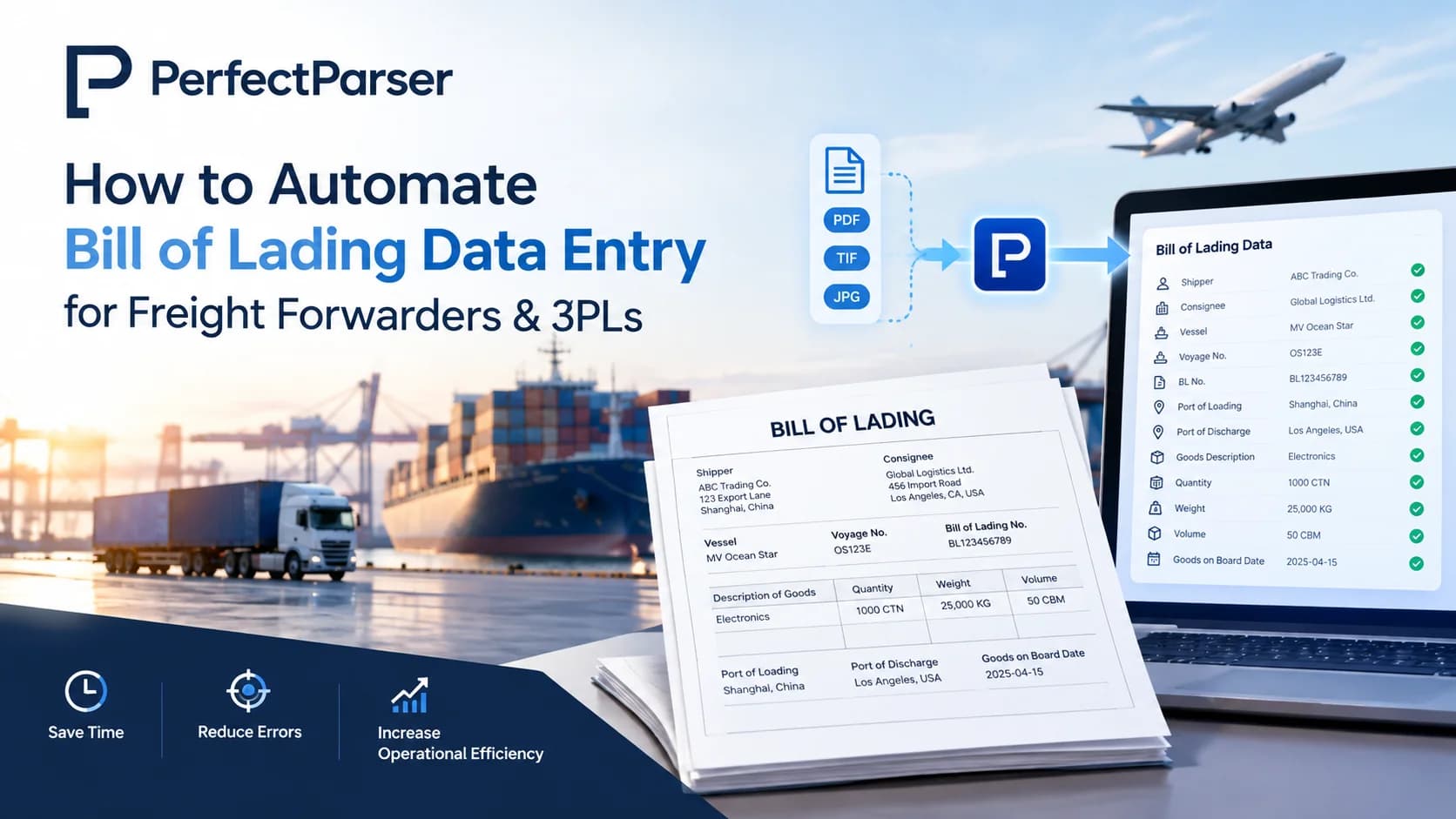
Quick answer: Automating bill of lading data entry replaces manual transcription by using AI document extraction to ingest carrier BoLs directly into your TMS or ERP in seconds, reducing document processing time by up to 90% and eliminating costly freight billing and customs errors.
Key Takeaways
- •Bill of lading data entry is the process of capturing BOL number, shipper, consignee, carrier, ports, cargo details, and hazmat status into a usable digital format manually or with software.
- •Manual entry is slow, error-prone, and doesn't scale past a handful of shipments a day.
- •Freight forwarders and 3PLs that automate bill of lading data entry cut processing time by up to 90% and remove costly transcription errors.
- •Automated BOL processing works across ocean, air, and truck freight including house bill of lading data extraction for consolidated shipments.
- •The right automated bill of lading processing provider should be template-free, export-ready, and easy to plug into your TMS or ERP.
Why Automating Bill of Lading Data Entry Is Critical
Every shipment that moves through a freight forwarder or 3PL comes with paperwork attached and the bill of lading sits at the center of it. It's the document that confirms what was shipped, who's responsible for it, and where it's going. Get a single field wrong during bill of lading data entry, and the ripple effect touches customs clearance, freight billing, delivery scheduling, and port demurrage and detention charges.
As shipment volumes grow, relying on someone to retype BOL details from a scanned PDF or a driver's photo simply doesn't scale (learn why AI extraction beats legacy OCR on degraded scans and mobile photos). That's why more freight forwarders and 3PLs are moving to automate bill of lading data entry instead of adding headcount to keep up with document volume. Automation isn't just about speed — it's about keeping downstream systems (TMS, ERP, customs platforms) fed with clean, consistent data the moment a document lands.
What Is Bill of Lading Data Entry?
Bill of lading data entry is the process of extracting the information printed on a BOL — a legally binding shipping document — and converting it into structured data that other systems can use.
A typical BOL includes:
- •BOL number and ship date
- •Shipper and consignee names and addresses
- •Carrier name
- •Origin (port of loading) and destination (port of discharge)
- •Cargo description, package count, and weight
- •Hazmat status per cargo line
- •Total shipment weight
Historically, this meant someone on the operations team opening a PDF or scanned image and typing each of these fields into a TMS, spreadsheet, or customs system by hand. Today, automated bill of lading processing solutions for freight companies use OCR and AI to read the document and populate those same fields automatically — with no manual keying required.
Why Manual Bill of Lading Entry Is Risky and Outdated
Manual BOL entry carries risk that compounds as volume grows:
- •Transcription errors — a transposed digit in a weight field or a misspelled consignee name can trigger billing disputes or delivery failures.
- •Slow turnaround — high-volume days mean documents pile up, delaying TMS updates and customer visibility.
- •Inconsistent formats — every carrier and port authority lays out its BOL differently, so staff have to relearn where to look on each document.
- •Compliance exposure — since a BOL is a legal instrument (it works as a receipt, a contract of carriage, and often a document of title), inaccurate data entry isn't just an operational headache — it can create real legal and financial exposure.
- •Hidden labor costs — the hours spent on repetitive data entry are hours not spent on exceptions, customer service, or growth.
None of this scales cleanly, which is why manual BOL entry is increasingly seen as a bottleneck rather than a baseline process.
How Freight Forwarders Can Use Automated BOL Data Entry
Freight forwarders deal with BOLs from dozens of carriers, each with its own layout — plus the added complexity of house bill of lading data extraction when consolidating multiple shippers' cargo under one master shipment.
With automated bill of lading data entry, freight forwarders can:
- •Pull shipper, consignee, carrier, and routing details from any carrier's BOL format without building a template for each one (see how an AI parser normalizes multi-carrier freight documents)
- •Extract house BOL details separately from the master BOL to keep consolidated shipments accurate
- •Push structured data straight into their TMS so shipment tracking updates without manual re-keying
- •Give customers real-time visibility into shipment status because the data is captured the moment the document arrives, not hours or days later
- •Reduce the back-and-forth with carriers caused by data mismatches
How 3PLs Can Automate Bill of Lading Processing
3PLs sit between shippers, carriers, and warehouses — which means BOL accuracy affects receiving, inventory, and billing all at once. Automated bill of lading processing helps 3PLs:
- •Match incoming BOL data against purchase orders and warehouse receiving records automatically
- •Feed cargo description, weight, and package count straight into warehouse management systems
- •Flag hazmat cargo rows for compliance review without someone manually scanning every line
- •Reconcile carrier invoices against BOL weight and package data during freight audits
- •Scale document processing during peak season without scaling data-entry headcount
For a 3PL processing hundreds of BOLs a day across ocean, air, and truck freight, this is the difference between operations keeping pace with volume or falling behind it.
Benefits of Automating Bill of Lading Entry
- •Speed — structured data in seconds instead of manual transcription
- •Accuracy — removes typos and misreads that come from manual entry, especially on scanned or photographed documents
- •Scalability — process a handful of BOLs or thousands without adding staff
- •Format flexibility — one system handles ocean BOLs, air waybills, and truck freight documents
- •System integration — export to CSV, Excel, or JSON, or push directly into a TMS, ERP, or customs platform via webhook
- •Audit readiness — clean, structured data makes freight-bill and customs reconciliation faster
Why Choose PerfectParser
PerfectParser is built specifically for teams that process bills of lading as a daily bottleneck rather than an occasional task.
- •Template-free extraction — reads ocean BOLs, air waybills, and truck freight documents from any carrier or port authority without you having to configure a layout first
- •Multi-modal freight support — handles PDFs, scans, and photos, and adapts fields to match the freight mode you upload
- •TMS & ERP integration — export structured data as CSV, Excel, or JSON, or send it via webhook or Zapier into the systems you already use
- •Pay-as-you-go pricing — page credits starting at $19, no subscription or long-term contract, with 20 free page credits to start
- •High accuracy at volume — built for teams processing thousands of shipping documents a month
If hazmat status, container numbers, or HS codes appear on your BOLs, these can be added to your extraction schema alongside the standard fields (BOL number, shipper, consignee, carrier, routing, and cargo rows).
Ending Note
Bill of lading data entry doesn't have to be a manual bottleneck that slows down your freight or 3PL operation. Whether you're a freight forwarder handling house and master BOLs across multiple carriers, or a 3PL reconciling cargo data against warehouse and billing systems, automating BOL processing frees your team to focus on exceptions and customer service instead of retyping the same fields over and over.
If you want to see how automated bill of lading data extraction works on your own documents, try PerfectParser's bill of lading solution and upload a sample BOL to see the fields extracted in real time.
A bill of lading itself is a legal shipping document that works as a receipt, a contract of carriage, and often a document of title — which is exactly why getting the data entry right matters so much.
Try PerfectParser Free
Extract data from your first documents today. No credit card required — 20 free credits included.
Start Extracting →