
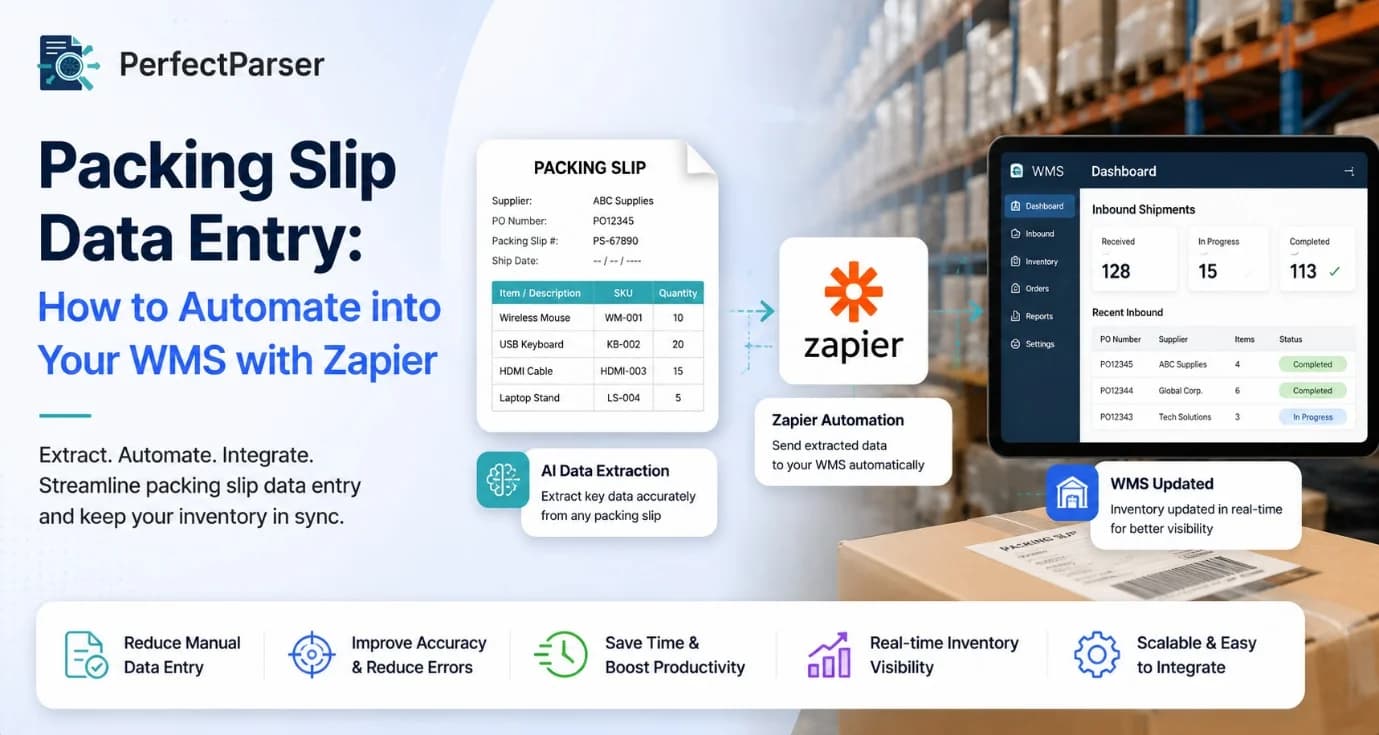
Managing warehouse documents manually can slow order fulfillment, increase errors, and consume valuable staff time. Every shipment arrives with information that needs to be recorded accurately before products move through inventory. Traditional manual entry often creates bottlenecks, especially for businesses processing hundreds of orders each day.
This guide explains how Packing Slip Data Entry can be streamlined using modern workflow automation. You'll learn how automated document capture, intelligent data extraction, and Zapier integrations help transfer shipment information into your Warehouse Management System (WMS) with minimal manual effort. Whether you're running an eCommerce warehouse, manufacturing facility, or distribution center, these practical steps can improve efficiency while maintaining data accuracy.
Why Manual Processing Slows Warehouse Operations
Warehouse teams frequently receive packing slips in different formats, including PDFs, scanned documents, emails, and printed copies. Employees often read each document and manually enter product names, SKUs, quantities, purchase order numbers, supplier details, and shipping information into the WMS.
While this process seems straightforward, it introduces several challenges:
- Human typing mistakes
- Duplicate entries
- Missing shipment information
- Delayed inventory updates
- Increased operational costs
- Longer receiving times
Even small data entry errors can create inventory discrepancies that affect purchasing, customer orders, and warehouse planning. To ensure your receiving team separates dock slips from billing documents, review our breakdown on packing slip vs invoice vs purchase order differences.
How Modern Automation Improves Accuracy
Instead of relying on manual typing, businesses now use AI Packing Slip Data Extraction to capture information directly from documents. Intelligent document processing tools recognize printed and digital text, identify important fields, and convert them into structured data that software systems can understand.
A typical automated workflow includes:
Because information is extracted digitally, warehouses reduce repetitive administrative work while maintaining more consistent records.
Connecting Your Warehouse with Zapier
One of the easiest ways to eliminate repetitive tasks is through Zapier Packing Slip Integration. Zapier connects document processing platforms with thousands of business applications without requiring custom software development.
A simple workflow may look like this:
- A supplier emails a packing slip.
- The document is processed automatically.
- Key shipment details are extracted.
- Zapier receives the structured data.
- The information is transferred into your warehouse system.
- Inventory updates immediately.
- Your team receives a confirmation notification.
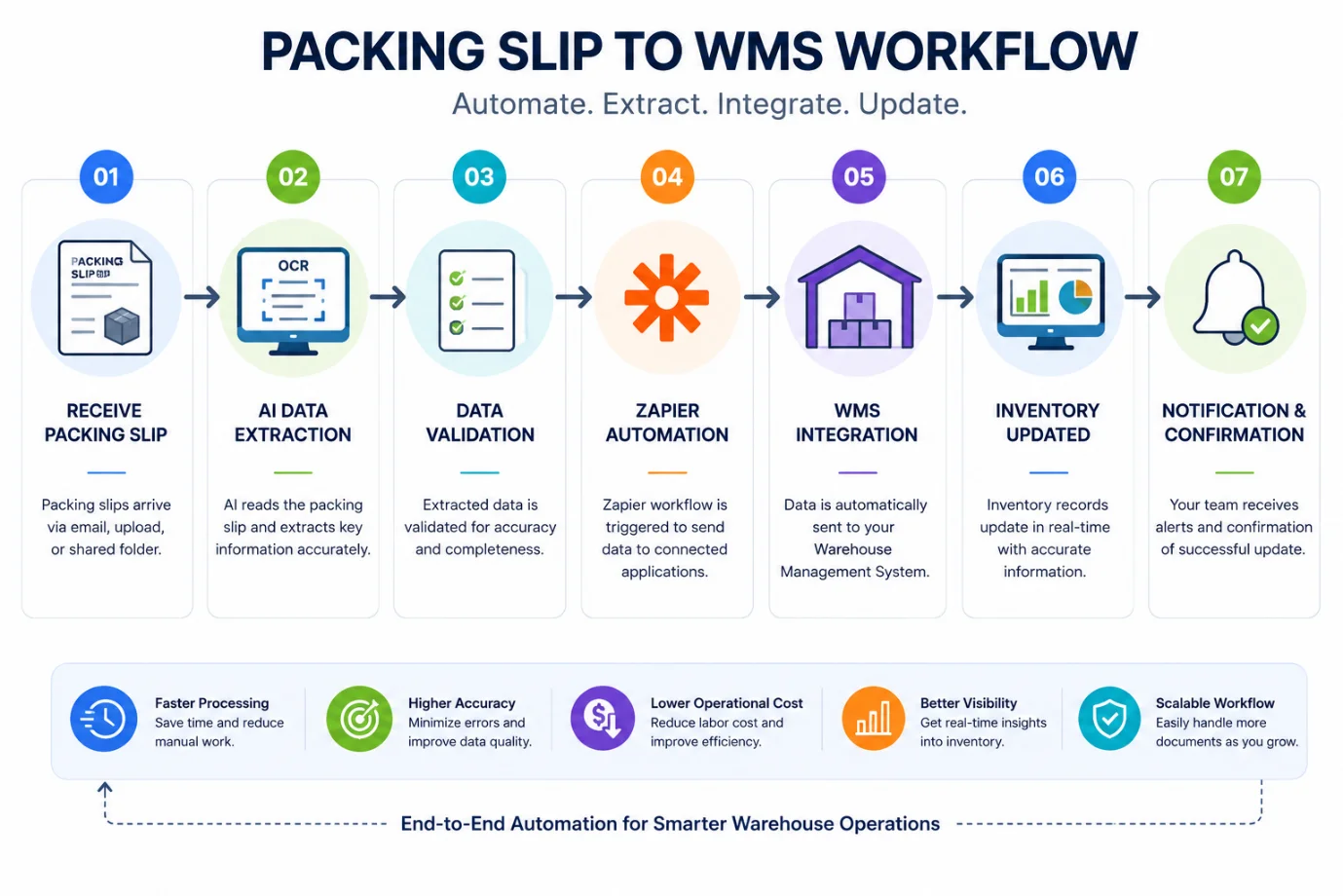
This approach helps warehouse staff focus on receiving and quality checks instead of repetitive administrative tasks.
The exact workflow depends on your WMS and business requirements, but the overall process remains simple and scalable for growing operations. If your receiving dock also handles parcel intake and returns, see how to set up shipping label extraction with Zapier automation.
Best Practices for Building an Automated Workflow
Successful automation starts with clean, consistent document processing rather than simply connecting applications. Before deploying your workflow, review the structure of the packing slips you receive from suppliers and identify the fields your warehouse requires.
Consider these best practices:
- Standardize required data fields such as SKU, item description, quantity, purchase order number, and supplier name.
- Validate extracted values before they reach your warehouse system.
- Create notifications for exceptions or missing information.
- Test workflows using documents from multiple suppliers.
- Monitor automation logs regularly to identify processing issues.
- Review performance metrics and update workflows as business needs change.
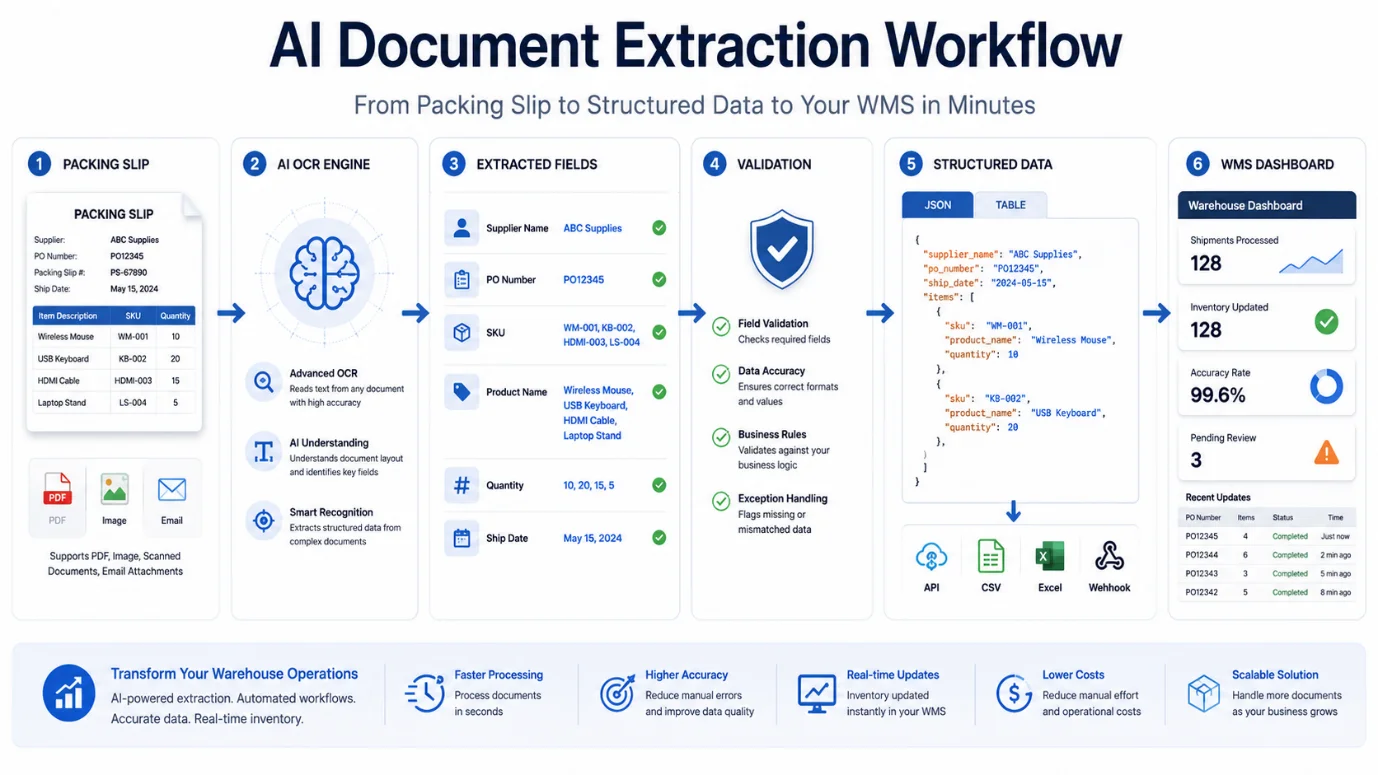
Using Packing Slip Automation reduces repetitive work while improving consistency across receiving operations. Instead of spending time on manual data entry, warehouse teams can focus on inventory verification and faster order processing.
Common Mistakes to Avoid
Even well-designed workflows can encounter problems if important planning steps are skipped.
Avoid these common mistakes:
- Importing incomplete documents without validation.
- Ignoring low-confidence extraction results.
- Mapping incorrect fields to the WMS.
- Skipping regular workflow testing after updates.
- Failing to notify users when automation encounters exceptions.
Addressing these issues early helps maintain accurate inventory records and reduces disruptions to warehouse operations.
Benefits of an Automated Warehouse Workflow
Organizations that modernize document handling often experience measurable operational improvements.
Some of the most significant benefits include:
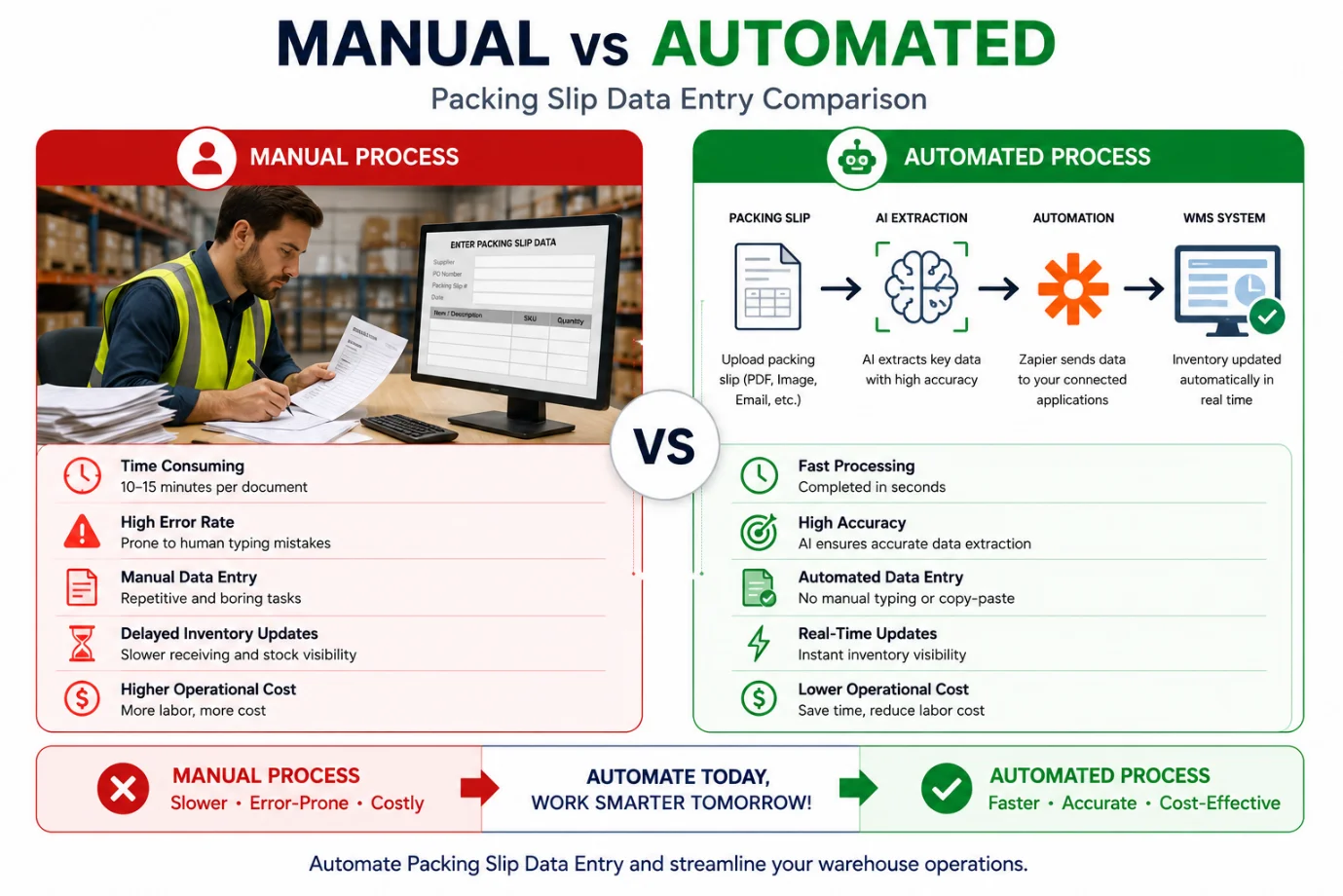
As warehouses expand, automation provides a reliable way to handle increasing document volumes while maintaining consistent data quality.
One important advantage is WMS Data Entry Automation, which minimizes repetitive manual updates and ensures inventory information remains current throughout warehouse operations.
Real-World Example
Imagine a distributor receiving 500 supplier shipments each week.
Without automation, warehouse staff manually review every packing slip and enter shipment details into the WMS. This process consumes hours each day and increases the likelihood of typing errors.
With an automated workflow:
- Packing slips arrive by email.
- Information is extracted automatically.
- Business rules validate required fields.
- Data is transferred into the warehouse system.
- Employees only review documents requiring manual attention.
This approach helps Automate Packing Slip Processing while allowing warehouse teams to concentrate on receiving goods, quality inspections, and inventory management instead of repetitive administrative work.
Conclusion
Manual document entry may work for small shipment volumes, but growing businesses need faster and more reliable processes. By combining intelligent document extraction with workflow automation, warehouses can reduce manual effort, improve inventory accuracy, and keep operations running efficiently.
Whether you're processing dozens or thousands of packing slips each month, implementing an automated workflow creates a stronger operational foundation for future growth. Start with a small workflow, monitor the results, and expand automation as your warehouse processes evolve.
Try PerfectParser Free
Extract data from your first documents today. No credit card required — 20 free credits included.
Start Extracting →