
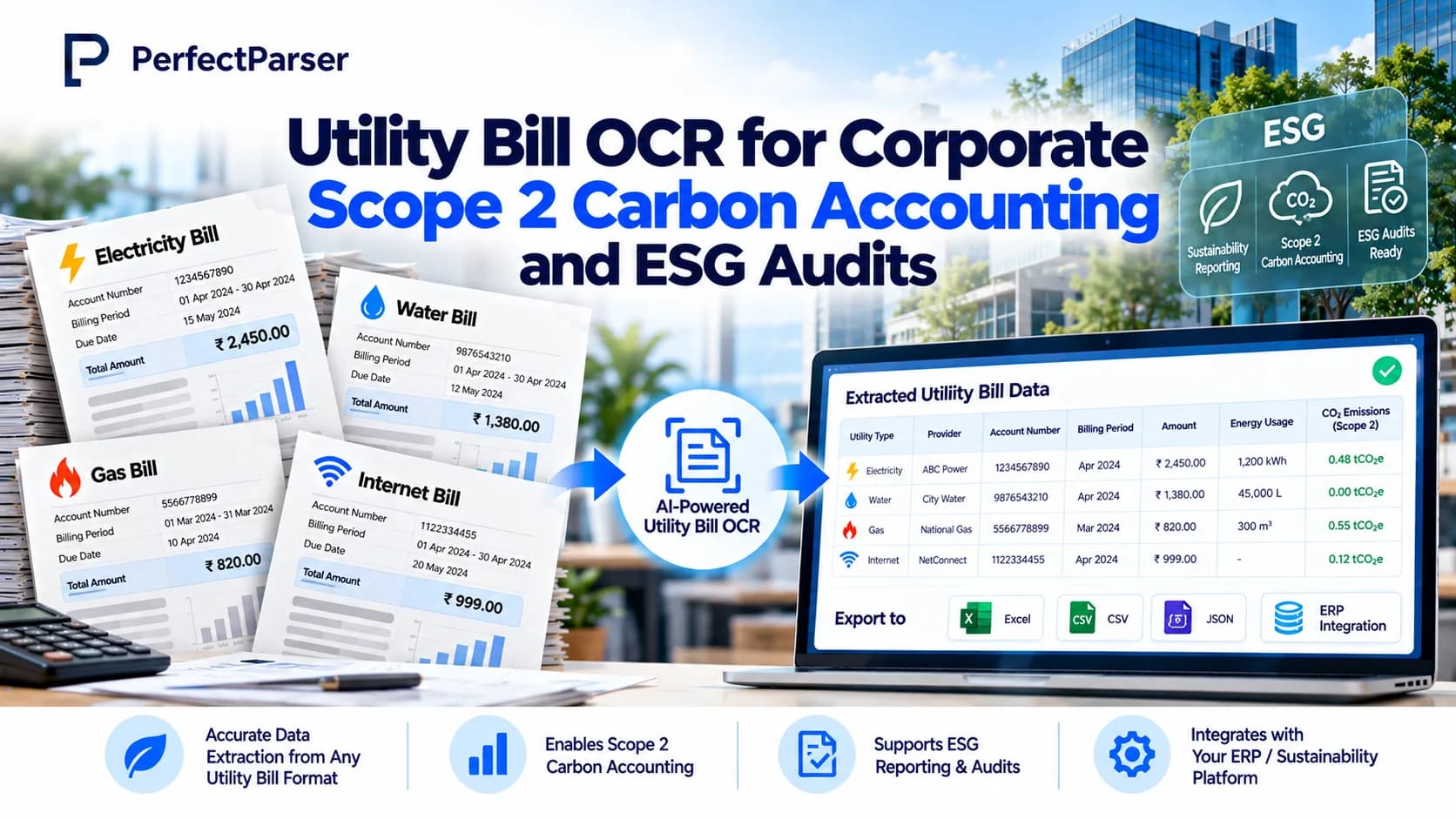
Scope 2 reporting starts with a stack of utility bills. Every facility, every meter, and every provider produces a bill with its own layout, and an ESG manager has to turn all of them into one auditable dataset. Utility bill OCR automates that step. It reads kWh, billing periods, meter IDs, and peak demand from each bill and returns structured data ready for emissions calculations. This guide explains how utility bill OCR supports Scope 2 accounting, which fields matter, which errors to check for, and how to prepare data for an ESG audit.
Quick answer: Utility bill OCR automates the extraction of electricity consumption (kWh/MWh), billing periods, meter IDs, and provider metadata from energy bills across multi-facility portfolios. Under GHG Protocol standards, Scope 2 emissions calculations require verifiable line-item activity data. AI-powered utility OCR normalizes disparate utility bill formats into an audit-ready dataset, eliminating weeks of manual spreadsheet entry and ensuring complete traceability from ESG reports back to source invoices.
Why Utility Bills Matter for Scope 2 Accounting
Scope 2 emissions come from purchased electricity, steam, heating, and cooling. For most companies, purchased electricity is the largest part, and the activity data comes from utility bills. A step-by-step guide to Scope 2 accounting explains that electricity usage data is typically sourced from power bills and utility contracts, and that location-based emissions are calculated once consumption data and emission factors are both in hand.
The GHG Protocol asks companies to report Scope 2 two ways. The location-based method uses the average emission intensity of the grid where consumption happens. The market-based method reflects the electricity you chose to buy, such as a renewable tariff or certificates. A comparison of the two methods notes that dual reporting is expected and that the first step is gathering kWh or MWh from utility bills for every facility inside the organizational boundary.
The math itself is simple. As an illustration, a site that used 250,000 kWh in a year, with a grid factor of 0.4 kg CO2e per kWh, has location-based emissions of 100,000 kg, or 100 tonnes. The hard part is not the multiplication. It is getting a trustworthy 250,000 for every meter at every site, from every provider.
This is where the work gets heavy. A sustainability manager preparing a GRI, TCFD, or CDP submission may need bills from dozens of providers across many sites and countries. Pulling kWh, peak demand, and billing periods by hand takes weeks (as benchmarked in our manual entry vs. AI utility bill extraction guide). Each manual step adds a chance of a transposed digit, a wrong unit, or a missed bill, and one such error can fail an audit review.
Key Utility Bill Fields for Emissions Reporting
Not every number on a bill matters for a carbon inventory. These fields do.
Identification fields
- Account number and customer name
- Meter ID or meter number
- Service address and facility identifier (often managed portfolio-wide via automated utility data capture)
- Utility provider and commodity type
Consumption fields
- Electricity consumption in kWh or MWh
- Natural gas usage in therms, cubic meters, or MMBtu, where relevant to your inventory
- Peak demand in kW
- Previous and current meter readings, and any meter multiplier
Period fields
- Billing start and end dates
- Number of days in the billing period
- Statement date
Market-based fields
- Supplier name and tariff or product name
- Renewable energy or contract details shown on the bill
Quality fields
- Actual versus estimated read indicator
- Adjustments, credits, and rebilled prior periods
As a practical Scope 1 and 2 tracking guide puts it, the data checklist starts with electricity consumption by site and meter from energy bills or smart meter exports, plus tariff or supplier documents for market-based reporting. Capturing the meter ID and billing period, not only the total kWh, is what makes the data usable at line-item level. It is also what an auditor will ask for first.
How OCR Supports Scope 2 Calculations
Plain OCR turns a scanned page into text. It does not know which number is the consumption figure. AI-based utility bill OCR adds understanding, so it finds the right value by meaning even when providers label and position things differently (learn more about our template-free AI utility bill extraction).
Step 1: Ingest bills. Bills arrive as PDFs, scans, photos, or email attachments from many providers and countries.
Step 2: Classify and read. The system identifies the provider and bill type, then reads the text, including tables and multi-meter statements.
Step 3: Extract fields by meaning. The model locates kWh, billing period, meter ID, demand, and supplier details regardless of layout. When one provider calls it "consumption" and another "energy used," both map to the same field.
Step 4: Normalize to a GHG schema. Every bill is converted into one consistent structure, with standard units, ISO dates, and one row per meter per billing period. This multi-provider normalization is what lets a portfolio with dozens of formats behave like one dataset.
Step 5: Validate and score. Each field gets a confidence score. Low-confidence values go to a human reviewer, and everything else passes through.
Step 6: Calculate and export. Clean consumption data is joined to location-based and market-based emission factors, then exported to your reporting tools.
A normalized record for one meter and one period might contain: facility ID, meter ID, provider, billing start, billing end, days, consumption in kWh, peak demand in kW, read type, supplier, tariff, and a link back to the source bill.
The same structure can feed ENERGY STAR Portfolio Manager, Arc, or a custom dashboard through CSV export or API, so the ESG team is not re-keying data between systems. Because every bill lands in the same schema, adding a new site or a new provider does not change the downstream process.
Common Extraction Errors and Validation Checks
Even strong OCR benefits from validation. These are the errors that most often threaten Scope 2 numbers, and the check that catches each.
Unit mismatches. A bill in MWh or therms is read as kWh. Check: compare the extracted unit with the provider and commodity, and convert everything to one standard unit.
Overlapping or missing billing periods. Two bills cover the same dates, or a month has no bill. Check: confirm periods for each meter are continuous, with no gaps or overlaps.
Estimated reads mixed with actual reads. Estimates are later corrected, which can double count or understate. Check: flag the read type and track true-ups.
Consumption that does not match the meter readings. Check: verify that current reading minus previous reading, times any multiplier, equals the billed consumption.
Merged or split meters. A multi-meter bill is read as one total. Check: require one record per meter and compare the sum of meters with the bill total.
Duplicate bills. The same statement arrives by email and portal. Check: match account, meter, period, and amount to detect duplicates.
Date and number format differences. A bill from one country writes 03/04 as 3 April, another as March 4, and some use commas as decimal points. Check: parse dates and numbers by the provider's locale, and reject values that produce impossible periods.
Character confusion on poor scans. OCR can confuse 0 and O or 5 and S. Check: use format rules for account and meter IDs, and confidence thresholds for digits.
Outliers. A month that is far above or below history. Check: compare against the same meter's prior periods and flag large deviations for review.
These checks are a core part of utility invoice validation, and they are what turns extracted text into data an auditor can rely on. A good workflow records which check flagged a value and who resolved it, so the correction is explainable later.
Preparing Utility Bill Data for ESG Audits
Third-party assurance is now a routine part of sustainability reporting, and auditors work backward from the reported number to the source. A guide to audit-ready sustainability data explains that complete source documentation lets auditors trace every data point to records such as utility bills, which reduces the risk of a qualified opinion.
Use this checklist to prepare.
Keep the bill attached to the number. Every reported kWh figure should link to its original bill. An audit readiness guide for controllers recommends attaching source documents such as bills to support every data point and reducing manual spreadsheet hand-offs, which is where errors creep in.
Match billing periods to the reporting year. A data collection checklist advises confirming that the billing period matches your financial close window, and warns that a missing utility bill can fail assurance. Prorate bills that straddle year-end and document the method.
Reconcile totals. A sustainability audit preparation guide suggests checking that total energy in the report equals the sum of site-level utility invoices. Automated extraction makes this reconciliation a query instead of a project.
Document emission factors. Record the source, year, and region for each factor, for both location-based and market-based methods.
Name a data owner. Each facility or region should have someone accountable for its data.
Retain source documents. Store the original bill and the extracted record together for the retention period your auditor requires.
Track corrections. Log every manual correction with the reviewer and date, so changes are explainable.
Do a dry run. Before the auditor arrives, pick a sample of meters and trace each reported figure back to its bill. If you can do it in minutes, the audit will go smoothly. If it takes days, the data pipeline needs work.
How PerfectParser Supports Utility Bill Data Capture
PerfectParser applies AI-based utility bill OCR to the problems ESG teams face: many providers, many formats, and one audit deadline.
- Multi-provider normalization. Bills from different utilities are converted into one consistent schema, so a portfolio with dozens of providers looks like a single dataset.
- Template-free extraction. PerfectParser reads kWh, billing periods, meter IDs, and demand by meaning, so a layout change does not require rebuilding a template.
- Field-level confidence and validation. Values are checked for units, period continuity, and consumption logic, and only uncertain fields go to review.
- Traceability. Each extracted value stays linked to its source bill, which supports the chain of custody auditors ask for.
- Export to your reporting stack. Clean output can be sent to ENERGY STAR Portfolio Manager, Arc, or a custom ESG dashboard.
Instead of spending weeks collecting and keying data before every submission, the ESG team reviews only the exceptions. Teams using PerfectParser can aim to process 85%+ of bills of bills straight through with no manual touch, which turns the annual inventory from a data-entry project into a review task.
Extract Audit-Ready Utility Data for Scope 2 Carbon Reporting
Turn multi-facility utility bills into a standardized, verifiable emissions dataset. Extract consumption (kWh/therms), billing periods, and meter IDs with complete document traceability for GHG Protocol compliance and ESG audits. 20 free credits included.
Start Extracting ESG Energy Data Free →