
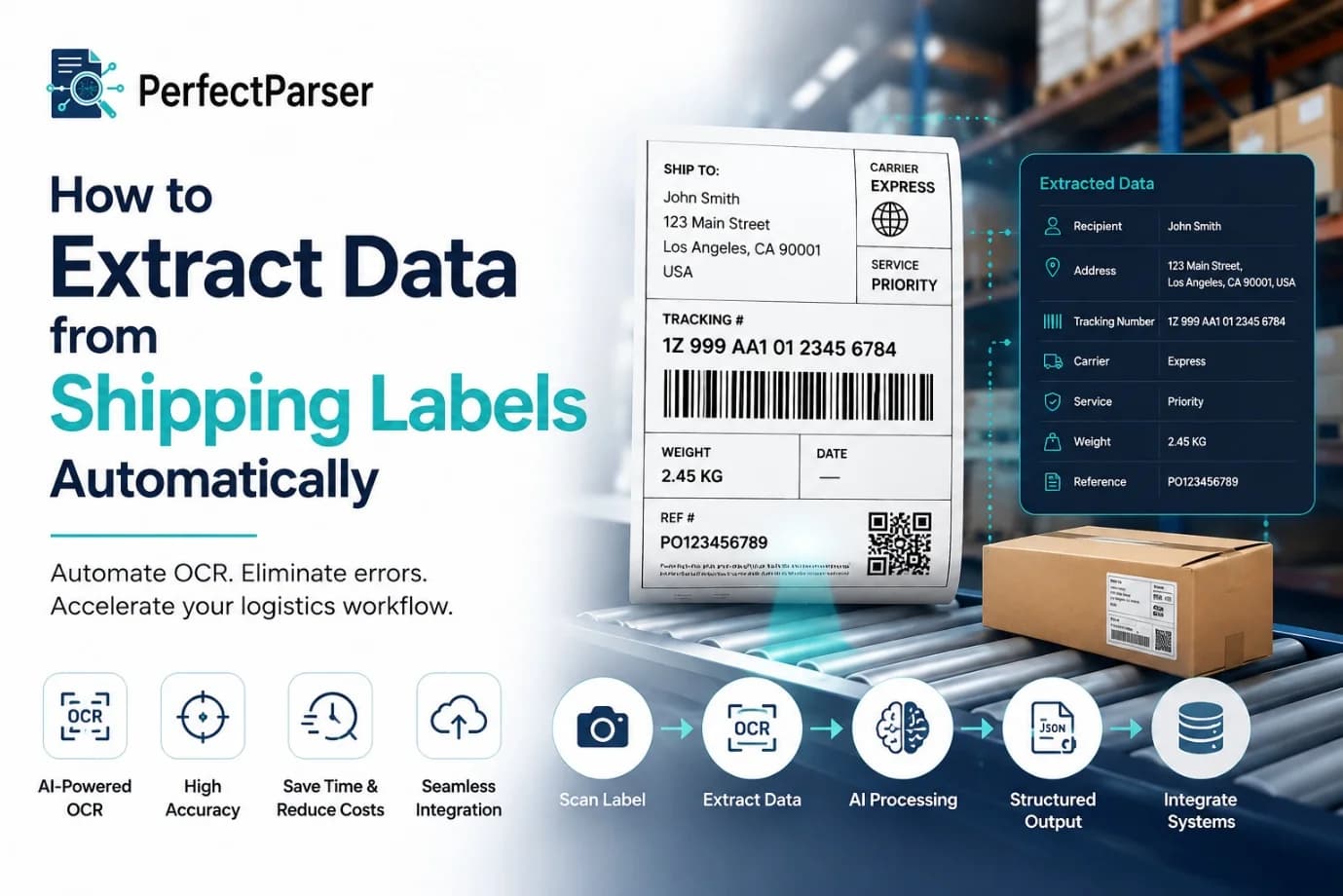
Managing shipments at scale requires processing hundreds, sometimes thousands, of shipping labels daily. The traditional approach of manually reading each label, typing in tracking numbers, addresses, and weights is not just time-consuming; it's a bottleneck that compounds errors and frustration across your logistics operation.
The good news? You don't have to do it manually anymore.
In this guide, we'll walk you through how to automate the entire process. You'll learn the technology behind it, practical methods you can implement today, and the mistakes to avoid so you get real results. Whether you're running a 3PL operation (learn how 3PLs automate tracking), managing e-commerce fulfilment (see our e-commerce automation guide), or coordinating last-mile delivery, shipping label data extraction can transform how you work.
By the end of this article, you'll understand:
- How OCR and AI work together to read labels automatically
- Multiple approaches to implement automation in your workflow
- Best practices that deliver measurable results
- Common pitfalls and how to sidestep them
Let's start.
Why Automating Shipping Label Reading Matters
Automated shipping label data capture processes critical information: tracking numbers, recipient addresses, weights, dimensions, barcode data, special handling instructions, and service levels. This information flows through every stage of your operation from sorting and staging to billing and customer notifications.
The cost of manual entry:
When data entry is done by hand, several problems emerge:
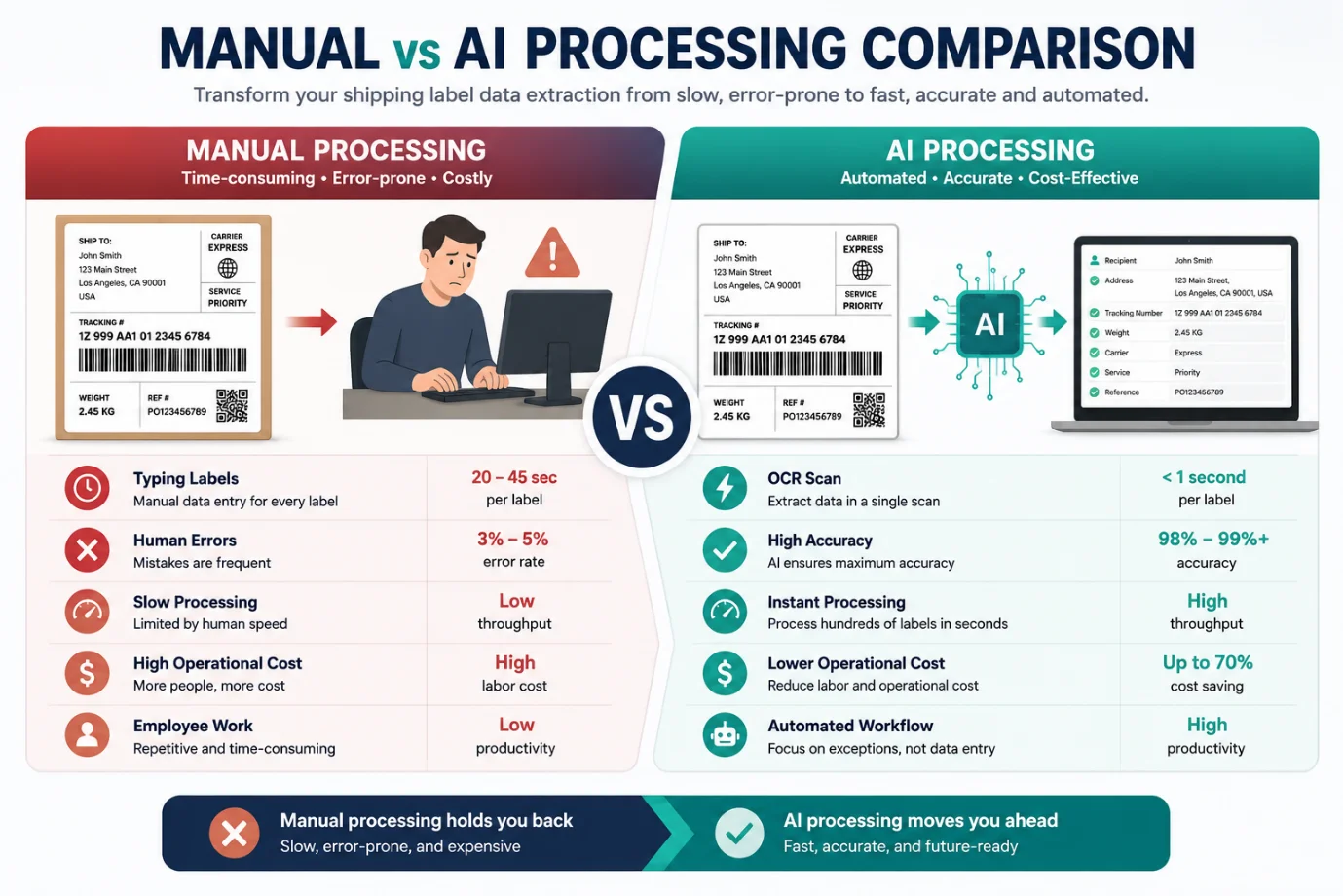
- Human error rates typically hit 3–5% per entry, which escalates quickly at volume
- Processing time increases significantly (averaging 20–45 seconds per label when data is typed manually)
- Operational bottlenecks form when peak shipment volumes arrive
- Scalability becomes expensive because you need more staff to handle growth
- Data inconsistency leads to downstream problems in inventory, billing, and customer communication
Consider a mid-sized fulfilment center processing 5,000 shipments daily. At 30 seconds per manual entry and 4% error rate, you're looking at 42 hours of labour daily plus managing 200 incorrect entries requiring correction.
Automating extract data from shipping labels eliminates these friction points. You reduce errors to near-zero levels, cut processing time from seconds to milliseconds, and free your team to focus on exception handling and customer service rather than data entry drudgery.
Understanding OCR Technology for Shipping Labels
Before diving into implementation, let's demystify the technology. Shipping label OCR (Optical Character Recognition) is the foundation of any automated extraction system. If you are currently using traditional hardware, you may want to read our comparison on Barcode Scanners vs AI to understand the differences.
How OCR Works
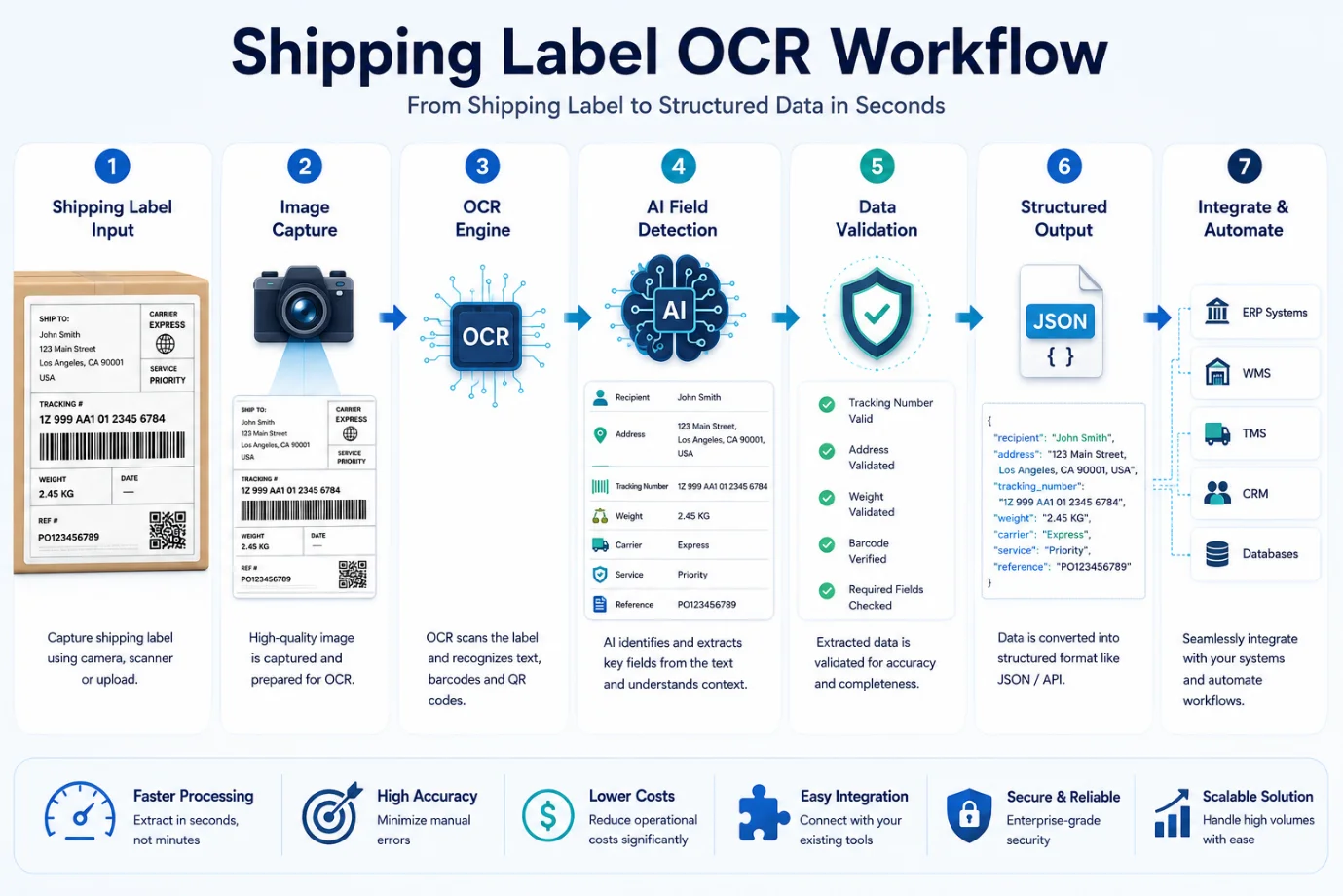
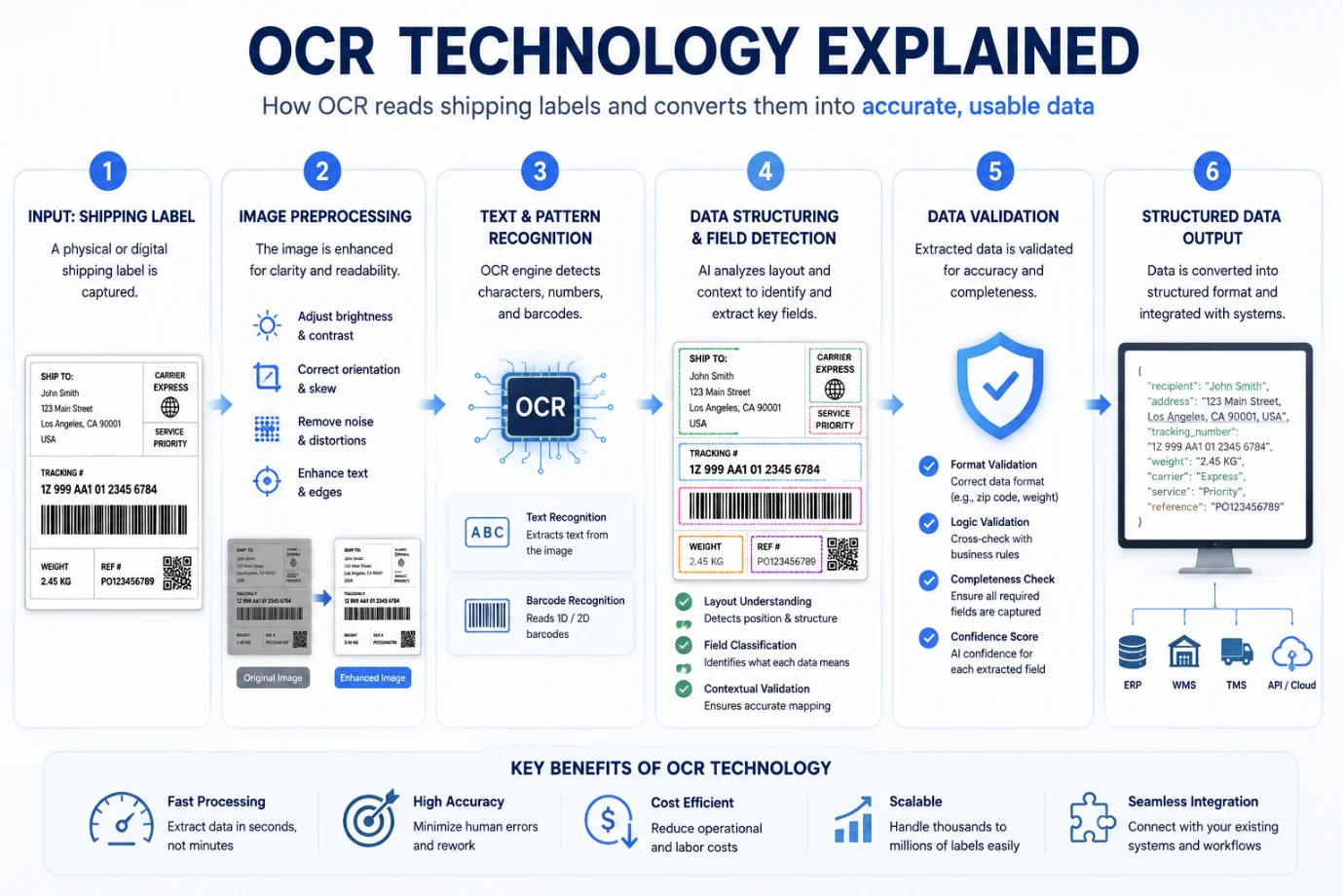
OCR technology breaks down into three core steps:
1. Image Acquisition and Preprocessing
The system captures a digital image of the shipping label (via camera, scanner, or photo). It then cleans the image adjusting brightness, removing shadows, correcting skew, and filtering out background noise. This preprocessing step is critical because imperfect images directly impact recognition accuracy.
2. Character and Pattern Recognition
Advanced barcode data extraction algorithms analyze pixel patterns, reading 1D and 2D barcodes alongside printed text. Modern systems use deep learning neural networks trained on millions of label images to recognize text in various fonts, orientations, and conditions.
3. Data Structuring and Output
Raw text is extracted and structured into fields. The system identifies what each piece of data represents tracking number, zip code, weight, etc. based on position, context, and formatting rules.
Why Standard OCR Isn't Enough
Basic OCR technology struggles with shipping labels because:
- Labels vary significantly in layout and format across different carriers
- Barcodes and special formatting require specialized recognition
- Partial damage, poor print quality, or lighting issues confuse standard algorithms
- Context matters: the system needs to know that a 12-digit number in a specific location is a tracking number, not random text
This is where AI shipping label extraction enters the picture.
Methods to Extract Data from Shipping Labels
There are several approaches to implement automated shipping label processing. Each has distinct advantages depending on your operation's scale, budget, and technical capabilities.
Method 1: Cloud-Based Shipping Label Automation Software
What it is: Third-party platforms offer built-in label scanning features integrated with their logistics management systems.
How it works:
- Upload or photograph your shipping label
- The software's AI engine reads the label
- Data populates your system automatically
- No additional setup required
Best for:
- Small to mid-size businesses
- Operations already using a logistics platform
- Teams wanting plug-and-play solutions (like Zapier no-code automation)
Pros:
- Quick deployment (days, not months)
- No infrastructure investment
- Vendor handles updates and maintenance
- Integrates with existing workflows
Cons:
- Per-transaction or monthly costs can add up at scale
- Less customization for unique label formats
- Dependence on third-party infrastructure
- Data stored on external servers (compliance considerations)
Accuracy: Typically, 95–98% depending on label quality
Method 2: Self-Hosted OCR Engine
What it is: Deploy open-source OCR libraries (Tesseract, Paddle OCR) on your own servers with custom training for your specific label formats.
How it works:
- Capture label images from your scanning hardware
- Send images to your local OCR engine
- Apply post-processing rules specific to shipping labels
- Extract structured data directly into your database
- Integrate with your TMS (Transportation Management System) or WMS (Warehouse Management System)
Best for:
- Operations with high volumes (1,000+ labels daily)
- Organizations with technical teams
- Businesses needing full control and privacy
- Custom or proprietary label formats
Pros:
- Complete data ownership and privacy
- No ongoing per-transaction costs after initial investment
- Can be optimized for your specific carrier formats
- Faster processing since it's local
Cons:
- Requires development expertise
- Ongoing maintenance and updates
- Accuracy depends on training quality
- Initial setup takes weeks to months
Accuracy: 90–97% depending on training data and label quality
Method 3: API-Based Machine Learning Solutions
What it is: Platforms like Amazon Textract, Google Document AI, or specialized logistics APIs that expose ML models via REST/gRPC interfaces.
How it works:
- Your system sends label images to the API
- The ML model processes and returns structured JSON with extracted fields
- Your application parses the response and updates your systems
- You only pay for what you use
Best for:
- Tech-forward companies building custom solutions
- Operations wanting enterprise-grade accuracy without full ownership
- Businesses wanting to avoid self-hosting complexity
Pros:
- Enterprise-level accuracy (98%+)
- Managed infrastructure (scalability handled for you)
- Easy integration for developers
- Regular model improvements by vendors
Cons:
- Per-API-call pricing (can be significant at scale)
- Latency depends on network and API provider
- Data must leave your network (privacy/compliance concerns)
- Less control over model customization
Accuracy: 97–99% with enterprise providers
Method 4: Hybrid Approach
What it is: Combine multiple methods strategically based on shipment characteristics.
Example workflow:
- High-quality standard carrier labels → Cloud-based API (fastest, accurate)
- Damaged or unusual labels → Human review with AI assistance
- Proprietary in-house labels → Custom self-hosted engine
- Exception handling → Manual data entry with operator interface
Best for: Operations with diverse shipping scenarios and mature technical capabilities
Accuracy: 99%+ when implemented correctly
Best Practices for Successful Implementation
Deploying label extraction automation requires more than just picking a technology. Here's what separates successful implementations from mediocre ones.
1. Start with a Clear Baseline
Before automating, measure your current state:
- How many labels do you process daily/monthly?
- What's your current manual error rate?
- How long does each label take to process?
- What's the cost per entry (labor + corrections)?
These metrics become your success indicators and ROI justification.
2. Standardize Your Label Collection
Automation works best when input is consistent:
- Use dedicated scanning hardware (not phone cameras) for higher quality images
- Ensure consistent lighting and label positioning in your scanning station
- Maintain scanners so they produce clear, aligned images
- Document label variations across carriers and create handling rules for each
3. Plan for Exception Handling
Not every label will scan perfectly. Design workflows for:
- Confidence scoring: Flag low-confidence extractions for human review
- Validation rules: Automatically reject data that fails basic checks (invalid zip codes, missing required fields)
- Manual override: Let operators quickly correct misreads without re-scanning
- Feedback loops: Use corrections to retrain models and improve accuracy
4. Test Extensively Before Full Rollout
- Test with 500–1,000 sample labels from your actual environment
- Compare automated results against manual baseline
- Measure accuracy by field (tracking number, address, weight, etc.)
- Test edge cases: damaged labels, faded printing, unusual formats
- Only deploy to full operation once you hit 98%+ accuracy
5. Choose the Right Integration Point
Determine where extraction fits in your workflow:
- Receiving: Extract inbound shipment data immediately upon arrival
- Sorting: Read labels as packages move through your facility
- Shipping: Automatically capture outbound tracking and label information
- Returns: Integrate with RMA or returns management systems
The integration point depends on your operational pain points.
6. Monitor Performance Over Time
- Track accuracy metrics continuously
- Log all corrections and rejects for analysis
- Monitor processing time and throughput
- Alert on sudden accuracy drops (hardware issues, carrier format changes)
- Schedule quarterly reviews to optimize configurations
Common Mistakes to Avoid
Learning from others' missteps can save you significant time and money.
Mistake 1: Deploying Without Testing on Real Labels
The problem: You test with clean, perfect label images. Real-world labels are bent, faded, wet, or at odd angles.
The fix: Test with actual labels from your operation captured under realistic conditions.
Mistake 2: Expecting 100% Accuracy
The problem: No system is perfect. Chasing perfect accuracy beyond 98% shows diminishing returns and wastes resources.
The fix: Accept that you need human review for ~1–2% of labels. Build workflows around this, not against it.
Mistake 3: Ignoring Carrier Format Updates
The problem: Carriers occasionally change label formats. Your automation breaks silently.
The fix: Monitor carrier communications, test new formats before they go live, and build model update schedules into your maintenance.
Mistake 4: Skipping Data Validation
The problem: Extracted data isn't validated before entering your system, creating garbage-in-garbage-out scenarios.
The fix: Implement validation rules for each field (valid address format, correct barcode checksum, reasonable weight range).
Mistake 5: Over-Engineering the Solution
The problem: Building a fully custom AI model when a SaaS tool would solve your problem.
The fix: Start simple. Use existing tools. Only build custom solutions when off-the-shelf options genuinely don't meet your needs.
Mistake 6: Neglecting Change Management
The problem: Rolling out automation without training your team creates resistance and misuse.
The fix: Invest in training, communicate benefits clearly, involve operators in testing, and provide easy feedback channels for improvement suggestions.
The Future of Shipping Label Automation
The landscape continues to evolve. Here's what's on the horizon:
Computer Vision Advances: Multi-modal AI models that understand context better will push accuracy closer to 99.9%, handling complex scenarios that stump current systems.
Real-Time Processing: Edge computing will enable local processing without cloud connectivity, reducing latency and addressing privacy concerns.
Autonomous Sorting: Computer vision integrated with robotic systems will move beyond data extraction to autonomous package sorting and routing.
Predictive Analytics: Systems will extract not just current data but predict delivery issues, optimal routing, and capacity constraints from label and shipment patterns.
Regulatory Compliance: Built-in compliance checking will automatically flag shipments that violate shipping regulations before they move through your facility.
These developments mean better accuracy, faster processing, and deeper integration with your entire supply chain operation.
Conclusion: Taking Your First Step
Automating shipping label data extraction isn't a futuristic luxury anymore—it's a competitive necessity for logistics operations of any scale.
The technology is proven. The ROI is real. The question isn't whether to automate; it's how quickly you can implement it.
Here's what you should do next:
- Audit your operation: How many labels do you process? What's your current error rate? What's it costing you?
- Choose your method: For most businesses, starting with cloud-based shipping label automation software makes sense—quick deployment, low risk, immediate results.
- Run a pilot: Process 500–1,000 labels with your chosen solution. Measure accuracy and time savings. Calculate ROI.
- Scale strategically: Once pilot metrics look good, plan your full rollout. Train your team. Integrate with your existing systems. Monitor continuously.
- Optimize over time: Use operational data to refine processes, improve accuracy, and expand to adjacent intake workflows (like extracting SKUs and quantities from supplier packing slips).
The companies winning in logistics right now aren't just faster at shipping—they're smarter about data. Automating label extraction is your first step toward that competitive edge.
Ready to get started? Pick a solution that matches your scale, run a pilot this week, and discover how much time and money you'll reclaim.
Automate Shipping Label Data Extraction
Extract tracking numbers, carrier service levels, and addresses from UPS, FedEx, DHL, and USPS labels in seconds. 20 free credits included.
Try AI Shipping Label Parser Free →